mirror of
https://github.com/Stirling-Tools/Stirling-PDF.git
synced 2026-09-02 21:03:34 +03:00
3056e5ff44e6ef6e4f89cfb608629ff9e8bf6f53
136
Commits
| Author | SHA1 | Message | Date | |
|---|---|---|---|---|
 ConnorYoh ConnorYoh
|
3056e5ff44 |
Reset the PAYG free grant each billing period (#7709)
Needs the schema half: Stirling-Tools/Stirling-PDF-SaaS#327 ## Current state The PAYG free allowance is a one-time lifetime pool. `pricing_policy.free_tier_units` is copied into `payg_team_extensions.free_units_remaining` once, at team creation (V14 trigger, updated in V19), and the charge pipeline decrements it until it reaches zero. Nothing ever puts it back. ## Problem The product promises a monthly allowance the billing model does not grant. - The account-link connect dialog advertises "500 free per month". That has **merged to main** (#7415), so the claim is live and unhonoured until this lands. - The wallet meter already read "Process 500 PDFs free, then $X/PDF", which reads as an allowance-then-meter model. - `SignupRequiredBootstrap`'s own doc comment described a "free 500-op/month allowance" while its copy said only "500 free operations". Three separate comments asserted the opposite in code (`billing/types.ts`, `WalletSnapshotResponse`, `TeamBillingContext`), so the two halves of the repo disagreed about what a customer is owed. ## Solution The grant now recurs each billing period, **for every team**. Paying does not cost you the allowance: a subscribed team draws its grant first each period and meters only the excess, which is what the meter's copy always described. That also matches how the grant already worked at charge time, where it reduced metered units regardless of subscription. ### The reset is lazy, with no scheduler `payg_team_extensions` gains `free_units_period_start`: the period `free_units_remaining` was last written for. - A stamp older than the current period start, or absent as on every existing row, means the reset is owed. `TeamBillingService.remainingForPeriod` projects it to a full grant, so the entitlement gate and the wallet both show it the instant the period turns. - `JobChargeService.consumeFreeGrant` persists it on the next charge, under the pessimistic row lock that already makes the per-job free/paid split exact. One rule, both callers, so display and enforcement cannot drift onto separate schedules. A team that runs nothing for a month has nothing to write, and no job is needed to hand out the grant. ### One period definition "Per period" is `TeamBillingContext.periodStart`: the Stripe subscription's current period when subscribed, the calendar month otherwise. It was already the only period notion in the system, so the grant joined it rather than inventing its own: - `InstanceEntitlement.periodCapUnits` is enforced over the same window. - `localUsageService.currentPeriodUnsynced` already buckets a linked instance's local usage by the `periodStart` it reads from the same snapshot, and resets its counters on that boundary. For an un-subscribed team, the only kind the grant gates, that window is the calendar month, which is what the copy promises. The period rule stays in Java by choice, not necessity: SQL could reach the Stripe period through the sync engine, but restating the rule there would give it a second home to drift from. Hence a nullable column and no backfill in the migration — NULL already means "stale", so every existing team reads as owed the current period's grant. ### Refunds A refund landing after the period turned would have stacked last period's units on top of the fresh grant. `JobChargeService.restoreFreeGrant` now clamps the restore to one period's grant, taking the same row lock, and the bulk-increment `restoreFreeUnits` query is gone. Removing it also removed a `@Query` string that no test would have parsed before application startup. ### Copy and comments Every comment and user-facing string that asserted the lifetime model is corrected. The strings that changed (code defaults and `en-US` TOML updated together): | Key | Now reads | | --- | --- | | `portal.billing.walletMeter.title` / `titleWithRate` | "500 free credits every month, then $X per PDF" | | `portal.billing.walletMeter.capSuffix` / `barAria` | "of 500 free credits left this month" / "Free credits remaining" | | `payg.free.hero.capSuffix` | "of 500 free PDFs left this month" | | `plan.freeLimit.message` | "...this month. ... It resets next month, or keep the momentum going now..." | | `payg.signupRequired.body` | "500 free operations a month" | Main rewrote these keys to "500 free credits to start" while this branch was open. The merge keeps main's credits vocabulary and drops "to start", which asserts the one-time grant this branch removes and which main's own connect dialog already contradicts. Also fixed in passing: `testing/compose/payg/saas-seed.sql` still inserted `free_tier_units_per_cycle`, the pre-V19 column name, so that INSERT had been failing since the rename. ## How to test Backend: ```bash STIRLING_FLAVOR=saas ./gradlew :saas:test spotlessCheck ``` Frontend: ```bash task frontend:typecheck && task frontend:lint && task frontend:format:check ``` New coverage, 10 tests: - `TeamBillingServiceMoreTest` — a past-period stamp reads as a fresh grant, a current stamp reads the stored balance, an unstamped row reads as a fresh grant, the grant follows the Stripe window rather than the calendar month, plus the `remainingForPeriod` rule itself including a future stamp and null/negative balances. - `JobChargeServiceTest` — the first charge of a new period resets and re-stamps, an unstamped row resets, a zero-grant policy still advances the stamp, and a refund crossing a period boundary does not exceed the grant. Manually, against a team whose grant is spent: set `free_units_period_start` back a month (or leave it NULL) and the wallet, the sidebar meter and the entitlement gate should all show a full grant before any job runs. The first billable job should then draw from it and write the reset. Three tests fail on a local Windows run and pass in CI, on files this branch does not touch: `workbenchSession.test.ts`, `notificationActions.test.tsx`, and `:proprietary` `FolderIdentitiesTest.identityAgreesAcrossASymlinkedAliasOfTheDirectory`. Nothing to do here — noted so a local run does not look like a regression. ## Merge order The migration is additive, and Hibernate `ddl-auto=update` will add the column in a dev environment, so either order works locally. Beyond that the schema goes first: Stirling-Tools/Stirling-PDF-SaaS#327 targets `v3` (staging), so it needs to reach an environment before this lands there. |
||
|
Anthony Stirling
|
42bdce155c |
Fix mobile scanner upload flow and fit it to one screen (#7684)
file mobile phone scanner UI issues when on http and scaling UI issues Ensuring that smaller screens dont cut off UI elements better handling of batch photos <img width="2104" height="8800" alt="montage_mobile-scanner" src="https://github.com/user-attachments/assets/b4dd114b-c54d-4101-8700-7307dbb0eee9" /> --- ## Checklist ### General - [ ] I have read the [Contribution Guidelines](https://github.com/Stirling-Tools/Stirling-PDF/blob/main/CONTRIBUTING.md) - [ ] I have read the [Stirling-PDF Developer Guide](https://github.com/Stirling-Tools/Stirling-PDF/blob/main/DeveloperGuide.md) (if applicable) - [ ] I have read the [How to add new languages to Stirling-PDF](https://github.com/Stirling-Tools/Stirling-PDF/blob/main/devGuide/HowToAddNewLanguage.md) (if applicable) - [ ] I have performed a self-review of my own code - [ ] My changes generate no new warnings ### Documentation - [ ] I have updated relevant docs on [Stirling-PDF's doc repo](https://github.com/Stirling-Tools/Stirling-Tools.github.io/blob/main/docs/) (if functionality has heavily changed) - [ ] I have read the section [Add New Translation Tags](https://github.com/Stirling-Tools/Stirling-PDF/blob/main/devGuide/HowToAddNewLanguage.md#add-new-translation-tags) (for new translation tags only) ### Translations (if applicable) - [ ] I ran [`scripts/counter_translation.py`](https://github.com/Stirling-Tools/Stirling-PDF/blob/main/docs/counter_translation.md) ### UI Changes (if applicable) - [ ] Screenshots or videos demonstrating the UI changes are attached (e.g., as comments or direct attachments in the PR) ### Testing (if applicable) - [ ] I have run `task check` to verify linters, typechecks, and tests pass - [ ] I have tested my changes locally. Refer to the [Testing Guide](https://github.com/Stirling-Tools/Stirling-PDF/blob/main/DeveloperGuide.md#7-testing) for more details. |
||
|
Anthony Stirling
|
c57a2a45de |
Add v2 client-side PDF text editor (#6500)
# Description of Changes <!-- Please provide a summary of the changes, including: - What was changed - Why the change was made - Any challenges encountered Closes #(issue_number) --> --- ## Checklist ### General - [ ] I have read the [Contribution Guidelines](https://github.com/Stirling-Tools/Stirling-PDF/blob/main/CONTRIBUTING.md) - [ ] I have read the [Stirling-PDF Developer Guide](https://github.com/Stirling-Tools/Stirling-PDF/blob/main/DeveloperGuide.md) (if applicable) - [ ] I have read the [How to add new languages to Stirling-PDF](https://github.com/Stirling-Tools/Stirling-PDF/blob/main/devGuide/HowToAddNewLanguage.md) (if applicable) - [ ] I have performed a self-review of my own code - [ ] My changes generate no new warnings ### Documentation - [ ] I have updated relevant docs on [Stirling-PDF's doc repo](https://github.com/Stirling-Tools/Stirling-Tools.github.io/blob/main/docs/) (if functionality has heavily changed) - [ ] I have read the section [Add New Translation Tags](https://github.com/Stirling-Tools/Stirling-PDF/blob/main/devGuide/HowToAddNewLanguage.md#add-new-translation-tags) (for new translation tags only) ### Translations (if applicable) - [ ] I ran [`scripts/counter_translation.py`](https://github.com/Stirling-Tools/Stirling-PDF/blob/main/docs/counter_translation.md) ### UI Changes (if applicable) - [ ] Screenshots or videos demonstrating the UI changes are attached (e.g., as comments or direct attachments in the PR) ### Testing (if applicable) - [ ] I have run `task check` to verify linters, typechecks, and tests pass - [ ] I have tested my changes locally. Refer to the [Testing Guide](https://github.com/Stirling-Tools/Stirling-PDF/blob/main/DeveloperGuide.md#7-testing) for more details. |
||
|
ConnorYoh
|
d30faf246b |
fix(billing): the paid tier is Team, and it is not unlimited users (#7730)
Copy only. No behaviour, no lookup keys, no licence semantics, no backend. ## Current state Every surface that sells the paid self-hosted tier offers **"unlimited seats"** for **"$99/server/mo"**, and the portal's free plan badges **"Unlimited users"** and **"SSO included"** as free-tier facts. ## Problem Both claims are now enforceably false. [#7492](https://github.com/Stirling-Tools/Stirling-PDF/pull/7492) makes the licence carry a real user cap, and [Stirling-PDF-SaaS#325](https://github.com/Stirling-Tools/Stirling-PDF-SaaS/pull/325) sells capacity in blocks of 100 users. An admin reading "unlimited seats" and then hitting a 409 at the invite screen is the worst version of this. The demo has already dropped both claims; ours were the last ones standing. ## Solution | Surface | Was | Now | |---|---|---| | Onboarding licence slide | "Stirling Server plan, **unlimited seats** … $99/server/mo" | "Stirling Team plan, **100 users** … $99/mo" | | Plan comparison table | `unlimitedUsers` = "Unlimited users" | `usersIncluded` = "100 users included" | | Plan card highlights | "Unlimited users" | "100 users included" | | Static plan section | `name: "Server"`, `maxUsers: "Unlimited users"` | `plan.team.name`, `plan.team.maxUsers` | | Upgrade banner | "Upgrade to Server Plan" / "unlimited users" | "Upgrade to the Team plan" / "100 users, SSO" | | Portal free plan | "Editor" + "SSO included" + "Unlimited users" | "Editor" + "Every PDF tool" + "Web, desktop & self-hosted" | The i18n keys are **renamed** (`unlimitedUsers` to `usersIncluded`) rather than just revalued, so the key name cannot outlive the claim. Also drops "per server" from `plan.licenseWarning` — we price a block of 100 users and count the provisioned roster, never nodes. And deletes the orphaned `[settings.planBilling.tier]` block: zero source references, and it described a retired model (50 credits/mo free, 500 included plus overage billing). ## Deliberately unchanged **"Processor" stays the name of the product surface.** The demo names each plan for its price tier (Editor = $0, Team = $99/mo, Credits = 1¢ each) while keeping Processor as the surface a plan unlocks. Renaming the surface here would conflate the two, so the plan-name split is left for the explicit plan catalogue. The free plan also gains no "500 free credits monthly" badge yet: that is true in the demo but not in our backend, which still grants a one-time lifetime pool. ## How to test Self-hosted, as an admin over the free user limit: Settings → Plan should offer the Team plan at "100 users included", and the onboarding licence slide should no longer promise unlimited seats. On the portal billing page, the free plan should read "Free" with no SSO or unlimited-users badge. Green locally: 4/4 i18n audits (missing, unused, structure, translation), 876 tests across 110 files, oxlint, prettier, and all four typecheck variants (core, proprietary, saas, portal). |
||
|
EthanHealy01
|
f6661a8f87 |
Failure action slots, resolve transition, and the bell that renders them (Review Flow PR 5a) (#7761)
Review Flow PR 5a — the first half of #7479, which stays open for reference until both halves land. This PR is the ranking and the bookkeeping; #7762 adds the retry handlers. Merging both reproduces #7479's diff byte-for-byte. ## What's added **The action slot model (backend).** `FailureActionSlot` ranks each of a kind's offers as its `RESOLUTION`, `SECONDARY` or `OVERFLOW`. `FailureKind` now declares placement per offer — the password-protected kind names `DECRYPT_AND_RETRY` as its resolution, `UNKNOWN` leads with a plain `RETRY` — and `FailureActionId` gains those two ids. The declarations are data; their client handlers arrive in the follow-up, so this build withholds them with a reason rather than rendering unwired buttons (the same forward-compatibility #7478 relied on). **A resolve transition.** `POST /api/v1/notifications/{id}/resolved` lets a client report a failure fixed. `NotificationSource.parse` turns a qualified notification id back into the source that owns it, and `FileRunEventService` folds the resolution into the incident rather than deleting it. **`viewerReviewsTeam` on the list response.** A member sees only rows whose document this browser holds — they can neither open nor fix anything else — while a team reviewer keeps every row. **The bell renders the ranking** (`promoteActions`): one primary button, at most one secondary, the rest in an overflow menu beside **Copy log**. The row's body is the kind's own sentence; the raw failure message moves into the menu. **Read state is a timestamp, not a row id.** `readThroughAt` replaces `lastSeenId`: when a resolved or dismissed row leaves the list, the rows below it stay read instead of re-lighting the badge. ## How to test Needs a proprietary or SaaS build with login enabled (`task dev:all`, sign in). 1. **Create a failure.** Add a password-protected PDF to the editor and choose **Skip for now**; the upload's policy run fails on it. 2. **Open the bell.** The row reads the kind's sentence, not a stack trace. Its primary button is **View file** — the server offers Decrypt and retry as the resolution, but this build withholds it (handler lands in the follow-up), so the best renderable offer is promoted instead. 3. **Open the row's ⋯ menu.** View in processor and Dismiss sit there, along with **Copy log**, which copies the raw message. 4. **Check the read marker survives a departure.** With two failures, open the bell (badge clears), dismiss the newer row, and refresh: the badge stays dark. On main, the marker held the departed row's id and the older row re-read as unread. 5. **Member visibility.** As a plain member, a failure recorded from another browser does not appear in the bell; as a team reviewer it does. 6. **Resolve endpoint.** `POST /api/v1/notifications/failure-{eventId}/resolved` as the owner removes the row on the next poll; `NotificationResolveTest` pins refusal for a non-owner, an unknown id, and a foreign prefix. ## Migration None. |
||
|
Anthony StirlingandJames Brunton
|
ceeec53df4 |
Let a pipeline run on the editor, on upload or export (#7581)
Redesigns the policies system so that the backend has an understanding of policies running over the Editor. The Editor is not set up as a source for the backend because the backend can't actively get files from it, they come in via the frontend sending them to the backend, so instead pipelines have a specific editor key in them to encode whether the pipeline is triggered on file upload/export in the editor. Also make a big effort in the frontend code towards genericising policy running. Previously, there was specific support in the main policy executor for each policy that it had to run, which was not going to be appropriate long-term, especially when users can run any pipeline in the editor. There's more work needed here for me to really be happy with it but this PR is plenty large on its own and moves it in the right direction. All of the above was required to allow arbitrary user pipelines to run in the editor. This PR makes it so that the user can select Editor as a source in the pipeline creator, along with whether it should run on upload or export. <img width="1437" height="506" alt="image" src="https://github.com/user-attachments/assets/b2d176a1-185c-480b-9916-abdd1447d8e1" /> --------- Co-authored-by: James Brunton <james@stirlingpdf.com> |
||
|
ConnorYoh
|
31d52d4c32 |
Connect flow for self-hosted account linking, and the triggers that drive it (#7415)
Replaces the bare account-link login box with a guided Connect flow, and wires up the triggers that actually put it in front of someone. ## Top bar <img width="1580" height="422" alt="image" src="https://github.com/user-attachments/assets/719e12fc-121a-4caa-bc72-124c5167b011" /> ## The modal Three steps on the portal's own `FlowModal` + `StepModalHeader`, the shells procurement and prepay already wear: 1. **What you unlock** — six benefits as a plain list. <img width="817" height="503" alt="image" src="https://github.com/user-attachments/assets/4644ddd2-6181-44e1-9be9-7a961972195d" /> 2. **Sign in** — the existing `SupabaseLoginForm`, reseated. <img width="880" height="930" alt="image" src="https://github.com/user-attachments/assets/fc66cbbb-9f98-40a4-9daa-4f2447713f39" /> 3. **Connected** — confirms, then deep links into Users, Pipelines and Policies. <img width="876" height="752" alt="image" src="https://github.com/user-attachments/assets/28358e4d-a44f-4118-a8ae-8275984ebd00" /> Re-auth stays a single step with no pitch and no success screen. ## The triggers **`LinkGate` stops being dead code.** It was built as the drop-anywhere "link to unlock" wrapper and was imported by nothing. It is now a blocking empty state that replaces the feature it guards, wired into Pipelines, Policies, Users, Sources and Integrations. **Scoped to creating and editing, never viewing.** Existing pipelines, policies, sources and connections keep listing and running, so upgrading an unlinked instance cannot take away something that already works. The clicks that would open a builder or a create modal ask for the connection first, which is the moment an admin has already declared intent. ## Capability signal `accountLinkAvailable` on `/api/v1/config/app-config`. Gating needs two facts: whether the instance is linked (`LinkContext`) and whether it *could* be (this flag). The account-link endpoints 404 when the feature flag is off, which the client cannot distinguish from "not linked yet" — so gating on link state alone would lock all five views on every default install with no way out. `useConnectGate` holds that decision in one place and shares the app-config query key, so it costs no extra request. Read from the environment rather than `AccountLinkProperties` because `:core` cannot depend on `:proprietary`. |
||
|
briosandAnthony Stirling
|
0b7b4e02c2 |
chore(crop): Remove invalid crop area message and related validation logic (#7160)
Co-authored-by: Anthony Stirling <77850077+Frooodle@users.noreply.github.com> |
||
|
Reece Browne
|
f71b0247da | Quick access bar and old school sidebars (#7695) | ||
|
EthanHealy01
|
a215c30068 |
Add the missing en-US translations for classification labels (#7692)
Our classification labels were rendering their hardcoded English names because the en-US locale file had no `classification` section at all, so this adds the missing keys (labels and category names). Also wires the category names through i18n, since those had no `t()` call, and adds a test so a new label can't ship without its key. |
||
|
ConnorYohandJames Brunton
|
732ef18ae5 |
feat(account-link): redirect-based connect handshake for self-hosted linking (#7494)
Links a self-hosted instance to a SaaS team over an ordinary redirect, and leaves the admin's browser holding a Stirling session at the same time. ## The problem A self-hosted server needs a device credential bound to a SaaS team, and the admin's Supabase JWT must never reach the instance backend. Three things ruled out the obvious approaches: - **A customer hostname can never be in Supabase's redirect allow-list**, so the sign-in cannot happen on the instance's own origin. That is why SSO and sign-up did not work for linking at all. - **A device credential identifies a server, not a person.** Every attended portal read (Usage, Billing, Documents, Infrastructure) goes through `getPortalSaasToken()` and needs a *user* session, so a credential-only link left all of them asking for a second sign-in. - **The previous design relayed a JWT** from the browser into the instance, which is the thing we wanted to avoid. That path is deleted here. ## The solution Redirect and nonce, modelled on desktop's `authService.loginWithSelfHostedOAuth`: mint a nonce, hand the browser off, accept only a callback carrying that nonce back. Desktop has the OS route the reply; self-hosted has no OS hop, so our own approval page performs it. That is the point — the human half happens on an origin we control. ``` instance SaaS admin's browser | POST connect/request | | | (name, callback, nonce, | | | claim-secret hash) | | |-------------------------->| | | <- requestId + authorizeUrl | | | GET /link?request=... | | |<-------------------------------| | | sign in (SSO works here), | | | see ACCOUNT + ORIGIN, approve | | |------------------------------->| | | 302 callback#nonce+session | | POST connect/claim | | | (requestId, claim secret)| | |-------------------------->| | | <- device credential | | ``` Four properties carry the safety, and each is stated in the code because each is easy to lose in a refactor: - **The redirect target is never caller-supplied.** Validated once at creation, then read back from the stored row, so nothing in the approval page's URL can steer the token elsewhere. - **Approval and minting are separate.** Approval records the team and hands out nothing usable; the credential is minted only on claim, authenticated by a secret that never entered a browser. - **A re-authentication cannot move a server between teams.** The team is pinned at creation from the credential only that instance holds, so an approver from another team gets `WRONG_TEAM` instead of a rebind. - **The approver has to confirm what they are binding.** The page shows the address and the signed-in account, with a way to switch, and a checkbox naming the address gates the approve button. The name the server reports is deliberately not shown: the requester picks it on an unauthenticated endpoint, and its honest value is the hostname already in the address. The session rides the URL fragment, so it stays out of access logs and `Referer`, and is stripped before anything awaits. The claim is row-locked, so one approval mints once. A request lives 30 minutes; a settled one is not offered again, since approving it fails server-side. Signing in mid-flow no longer loses the request. The id is kept on the SaaS origin and resumed after any sign-in, which is what makes creating an account work: the confirmation email opens a new tab, where the `next` parameter is gone. Reading it does not consume it — the request may be open in two tabs — and only a recorded decision retires it. The result lands as a modal over the portal the admin started from, and the portal re-reads its link status so the page behind agrees with the modal. Plaintext `http://` callbacks are accepted rather than refused, because many self-hosted instances legitimately run plain HTTP on a private network; the address carries a warning icon explaining the risk, derived server-side so a requester cannot suppress it. Hard-refusing `http://` to a public IP literal is a reasonable follow-up; a bare hostname can't be classified without a DNS lookup, so the warning stays the general mechanism. ## Configuration Four surfaces. Placeholders below, not values. **SaaS backend** | Setting | Needed | Why | |---|---|---| | `stirling.billing.account-link.enabled` | Yes, `true` | The connect controller and service are `@ConditionalOnProperty` with no default, so without it the endpoints do not exist. | | `system.frontendUrl` | Only when the approval page is not on the API's own origin | Where the approver is sent. Must include the app's base path if it is served under one, or the redirect misses `/link`. | **SaaS frontend** | Setting | Needed | Why | |---|---|---| | `VITE_SUPABASE_URL`, `VITE_SUPABASE_PUBLISHABLE_DEFAULT_KEY` | Yes | Its own sign-in. Must be the project the SaaS backend validates tokens against. | | `RUN_SUBPATH` | Only if served under a subpath | Moves the approval page to `<base>/<subpath>/link`, so `system.frontendUrl` has to agree. | **Self-hosted backend** | Setting | Needed | Why | |---|---|---| | `stirling.billing.account-link.enabled` | Yes, `true` | Defaults to `false`. | | `stirling.billing.account-link.saas-base-url` | Yes | Origin of the SaaS API it links to. Not the SaaS frontend. | | `system.frontendUrl` | Optional | Externally reachable base URL for the callback. Otherwise derived from the request's `Origin`, which is right for ordinary deployments and wrong behind a rewriting proxy. | **Self-hosted frontend** | Setting | Needed | Why | |---|---|---| | `VITE_SUPABASE_URL`, `VITE_SUPABASE_PUBLISHABLE_DEFAULT_KEY` | Yes | Accepts the session handed over in the callback fragment. | | `VITE_SAAS_API_URL` | For Usage and Billing | Attended reads go to the SaaS API with the admin's token. Absent, those surfaces stay on the mock. | | `VITE_INCLUDE_PORTAL` | Production builds | Dev builds include the portal automatically; without it there is no link UI and no callback route. | Two things worth stating because neither fails loudly: - **Both frontends must use the URL *and* key of the same Supabase project**, and the same one the SaaS backend validates against. A key from one project with a URL from another is accepted by the browser and rejected by Supabase, which surfaces much later as "session expired" on Usage rather than as an error at hand-over. - **The Supabase redirect allow-list must contain the SaaS app's `/auth/callback`**, since a confirmation email returns through it. Entries are matched exactly. - **`system.frontendUrl` is the existing setting for this**, not a new one, so each side reads its own value and there is nothing extra to configure. It also gates share links, so on a stack with storage and sharing already on, setting it here turns those on too. The self-hosted side deliberately does **not** configure where the approval page lives — SaaS answers that in the connect-request reply, being the only party that knows. Also here, because testing this needs two stacks side by side: `linked:staging` / `linked:dev` (which derive `system.frontendUrl` and `RUN_SUBPATH` themselves), the missing `frontend:staging:saas`, and a per-mode vite `cacheDir` — two dev servers in different modes otherwise re-optimise over one shared dep cache. ## How to test Automated and green: `task frontend:check:all` plus both backend modules. `ConnectRequestServiceTest` covers callback validation, the per-IP cap, single-use approval, claim outcomes, expiry, `WRONG_TEAM` and reauth confirming without minting; `ConnectServiceTest` covers callback-resolution precedence including a foreign-origin callback being discarded; `ConnectControllerTest` covers the authorize URL, including the forwarded-header path and only the first hop being trusted; `ConnectCallback.test.tsx` covers the fragment being stripped synchronously and malformed fragments refused; `LinkAccountModal.test.tsx` covers link and reauth hitting different endpoints. Manual walkthrough: 1. `task linked:staging` — added here; brings up a SaaS stack and a self-hosted instance pointed at it, on discovered ports, and prints the four addresses. 2. Open the link-account modal in the self-hosted portal and continue. Expect the SaaS approval page at `/link?request=<id>`. 3. Sign in as a team leader, or create an account and confirm the email. Either way you should come back to the approval page. 4. Tick the acknowledgement and approve. Expect the fragment gone from the address bar immediately, a result modal over the portal, the portal showing linked without a reload, and attended reads (Usage, Billing) working without a second sign-in. 5. Repeat, approving as a member of a different team. Expect a refusal, not a rebind. ## Outstanding - #7415 to be reworked against this design once this lands. - **No SaaS-side UI to disconnect a server.** `GET /account-link/instances` and `POST /account-link/instances/{id}/revoke` are already team-scoped and leader-gated, and the portal has a panel that uses them, but `portal-saas/components/settings/accountLinkSettings.tsx` exports `null` on the reasoning that "SaaS has no account-link concept". That held when linking was a self-hosted admin managing their own instance; here a leader approves a server they may not administer, and has no way to withdraw it. The seam to fill is that one file. Expected to land with the CTA work in #7415. --------- Co-authored-by: James Brunton <jbrunton96@gmail.com> |
||
|
EthanHealy01andClaude
|
f7a2c626c9 |
Persist the workbench session across the editor/processor switch (#7654)
## What Switching editor -> processor (or reloading) unmounts every editor provider, which emptied the workbench. This PR mirrors the workbench into per-tab sessionStorage and refills an empty one from that record on the next mount: - **Files, selection, view and active document survive** the shell switch and reloads. Each recorded file is resolved to its *current leaf* version on restore, so a file versioned by a policy or another tab comes back at its latest state. - **The switch back lands where the user left**: the processor sidebar's "editor" button consumes a one-shot return path saved at switch time. - **The app switch respects unsaved changes**: `useOtherAppSwitch` (proprietary + saas) now routes through `requestNavigation`, so the same warning guards it as any other navigation. - Desktop shadows `WorkbenchSessionPersistence` with a stub (OS-launched files own boot there). ## How to test I've run through each of these manually: - Upload several PDFs in the editor, select a couple, and switch to the Active Files grid. Click "Open PDF Processor" in the sidebar footer, then switch back to the editor. The same files, selection and view should return, and you should land on the editor page you left. - Open a document in the viewer, then reload the tab. The workbench should refill and come back on the viewer with the same document active. - With unsaved changes in a tool, click the processor switch. The unsaved-changes warning should appear, and the switch should only proceed if you confirm. - Open a second browser tab with different files. Each tab should restore its own workbench independently (the record is per-tab sessionStorage). - While in the processor, delete one of the open files from storage, then switch back. The remaining files should restore and a warning toast should report "Restored X of Y files". --------- Co-authored-by: Claude <noreply@anthropic.com> |
||
|
James Brunton
|
353df7a647 |
Improve modals in Sources page in Processor (#7664)
# Description of Changes Various changes throughout to try and convert the bulk of the dev UI sources modals to production quality. Changes include: - Fixing inconsistencies between different modals - Hide things users will rarely need to change behind advanced - Removed clutter in the UI - Renaming settings in terms that the user will understand and care about <img width="2360" height="3068" alt="image" src="https://github.com/user-attachments/assets/2c637e8f-bc1b-4c7e-98cb-d836ae626ba5" /> <img width="2360" height="3008" alt="image" src="https://github.com/user-attachments/assets/d894aadc-7c83-41d1-b614-881637a6bd34" /> |
||
|
EthanHealy01
|
49c1e75ced |
Surface recorded failures in a notification bell (Review Flow PR 4) (#7478)
Review Flow PR 4. Stacked on #7477. Recorded failures appear in a notification bell, showing each reader the failures they are allowed to see and the actions they can actually take. Scope is deliberately viewing and routing only. Resolving a failure — retry, decrypt-and-retry — is #7479, which also brings the write path for it; nothing resolution-shaped ships here, not even dark. ## What's added **A notification bell** in the editor and the processor shell. Polls `GET /api/v1/notifications` every 30 seconds, shows an unread badge, and lists open failures newest first. Each row shows the failure's title, its message with **Copy error** and **Show full message** chips, an occurrence count, and its available actions. **A notification API** (`stirling.software.proprietary.notification`), derived from failures on read rather than stored in its own table: | Route | Purpose | |---|---| | `GET /api/v1/notifications` | the caller's open failures, newest first | Read-only by design: every action the bell offers is one the client runs on its own device, so there is nothing to post back. Every id is prefixed (`failure:<uuid>`), so the bell never holds a raw failure id it could hand to a failure endpoint. **Per-reader actions.** A `FailureKind` declares each action with an audience (`OWNER`, `TEAM_REVIEWER`, `ANYONE_WHO_SEES`). The server resolves that against the reader and derives `Ownership` (`MINE` / `THEIRS` / `UNOWNED`) from the row's actor, so an admin reviewing someone else's failure is not offered a document their browser does not hold. Adding a failure kind requires no frontend change. **Server-run and client-run actions are distinguished.** `FailureActionId` carries an `Execution` facet; the registry requires a bean only for server actions, and dispatching a client action on the failure surface returns 400. The notification projection goes further: it carries only client-run offers, so the bell cannot be sent a button it would refuse to draw. **Actions in the bell:** at most two. The owner of the document gets **View file** (opens it in the editor); a team reviewer gets **View in processor** (dev builds only). Dismiss stays on the failure queue in `/processor/documents` — deciding a failure's fate belongs to the review surface, not the panel that announces it. An action id the build has not wired is skipped rather than rendered dead, so the server can ship new kinds ahead of the clients that understand them. **Attended policy runs record their document.** `POST /api/v1/policies/{id}/run` accepts an optional opaque `fileId`, recorded when the run carries exactly one primary document. This is what lets a repeat fold onto one incident instead of opening a new one per upload, lets deleting the file clear its failure, and lets the owner open the document from the row. ## Behaviour changes - **The bell re-reads as soon as a failure you caused is recorded**, rather than leaving you to wait out a poll interval for news of your own upload. Applies to a failed tool run and to a policy run reaching `FAILED`. Other people's failures still arrive on the poll, which is what it is for. - **An action the reader cannot use is not rendered.** Where the server gave a reason for withholding it, that reason appears as the row's one-line note. An action that was never offered to that reader produces no note. - **Deleting a document closes every incident about it that the deleter caused**, including a failed policy run on their own upload, so a user's own errors leave the bell with the file rather than lingering with a dead button. - **The failures list in `/processor/documents` stays behind `import.meta.env.DEV`**, and View in processor is gated to match so it cannot navigate to a section that is not mounted. Both lift when failures get their own review screen. - **One poll for all bells.** The bell is mounted in three places; the list, document lookups and read marker are shared, so mounting more than one does not multiply requests. - `ACKNOWLEDGE` is no longer offered by any kind. The id, bean and status remain so existing rows stay readable. ## Known limits - The poll does not pause when the tab is hidden. - No retention or per-team cap on `file_run_events`. ## How to test Needs a proprietary or SaaS build with login enabled. `task dev:all`, then sign in. 1. **Create a failure.** Add a password-protected PDF to the editor and choose **Skip for now** when it asks to unlock. The upload starts a policy run that fails on it. 2. **Watch the bell.** The badge should appear within a second or two, not after 30 — this is the refresh-on-failure path. Open it: a row titled "Password-protected document" with the error message and the two chips. 3. **The buttons should be View file and View in processor, nothing else.** No Dismiss and no retries: dispositions live on the review surface, resolutions in #7479. 4. **View file** closes the panel and selects that document in the editor. 5. **Dismiss from the queue instead.** Open `/processor/documents` (dev build), find the row in the failures list and dismiss it there; the bell drops it on its next read. 6. **Confirm the local-document probe.** Create a second failure, then delete that file from the editor and reload. Its incident closes with it; a row whose document is still present keeps **View file**. 7. **Confirm attribution end to end.** Sign in as a plain member, run a shared policy on your own upload so it fails. The member sees their own row in the bell. Sign in as the team leader: they see it too, but with **View in processor** instead of **View file**, because the document is not in their browser. 8. **Confirm folding.** Add the same locked PDF again and skip again. The existing row's occurrence count increases rather than a second row appearing. 9. **Confirm one poll for many bells.** Open the editor and the processor in two tabs. Each tab issues its own poll, but within a tab the several mounted bells share one — the Network tab should show one `GET /api/v1/notifications` per 30s per tab, not three. ## Migration None. No new column and no new value in any CHECK-constrained enum; `CheckConstrainedEnumsTest` fails if that changes. |
||
|
|
79686a3a09 |
form field editing (#6655)
# Description of Changes Building ontop of a users draft PR for form creation tools **Fill Form** becomes a full **Form Editor**: fill, create, modify and delete AcroForm fields visually. Builds on the community form-creation draft, plus a UX/UI rework pass. - **Backend**: `/api/v1/form` endpoints — `fields-with-coordinates`, `add/modify/delete-fields`, combined `edit-fields` (one round-trip), `fill`, `extract-csv/xlsx`; supports text (multiline, comb), checkbox, dropdown, list box, radio, button actions (reset/print/URL/submit) and signature placeholders - **Create**: type palette, click-or-drag placement with snap guides, inline property editor, batch "Add N fields" - **Modify**: move/resize on the page, arrow-nudge + Delete key, X/Y/W/H inputs, staged edits/deletes with chips, discard - **Fill**: live progress + required tracking, flatten toggle, Export menu (JSON/CSV/XLSX), Ctrl/Cmd+S - **Safety**: confirm dialog before discarding staged work; empty required fields warn with "Save anyway" instead of blocking - **UI**: consistent panel skeleton (fixed header / scrolling list / pinned actions), empty states that link into Create, full i18n with plural keys [walkthrough.html](https://github.com/user-attachments/files/30508976/walkthrough.html) --- ## Checklist ### General - [ ] I have read the [Contribution Guidelines](https://github.com/Stirling-Tools/Stirling-PDF/blob/main/CONTRIBUTING.md) - [ ] I have read the [Stirling-PDF Developer Guide](https://github.com/Stirling-Tools/Stirling-PDF/blob/main/DeveloperGuide.md) (if applicable) - [ ] I have read the [How to add new languages to Stirling-PDF](https://github.com/Stirling-Tools/Stirling-PDF/blob/main/devGuide/HowToAddNewLanguage.md) (if applicable) - [ ] I have performed a self-review of my own code - [ ] My changes generate no new warnings ### Documentation - [ ] I have updated relevant docs on [Stirling-PDF's doc repo](https://github.com/Stirling-Tools/Stirling-Tools.github.io/blob/main/docs/) (if functionality has heavily changed) - [ ] I have read the section [Add New Translation Tags](https://github.com/Stirling-Tools/Stirling-PDF/blob/main/devGuide/HowToAddNewLanguage.md#add-new-translation-tags) (for new translation tags only) ### Translations (if applicable) - [ ] I ran [`scripts/counter_translation.py`](https://github.com/Stirling-Tools/Stirling-PDF/blob/main/docs/counter_translation.md) ### UI Changes (if applicable) - [ ] Screenshots or videos demonstrating the UI changes are attached (e.g., as comments or direct attachments in the PR) ### Testing (if applicable) - [ ] I have run `task check` to verify linters, typechecks, and tests pass - [ ] I have tested my changes locally. Refer to the [Testing Guide](https://github.com/Stirling-Tools/Stirling-PDF/blob/main/DeveloperGuide.md#7-testing) for more details. --------- Co-authored-by: Denys Vitali <denys@denv.it> Co-authored-by: Claude Sonnet 4.6 <noreply@anthropic.com> |
||
|
Anthony StirlingandJames Brunton
|
e50c3de0a9 |
Run classification locally first and only escalate an unsure verdict to the AI (#7580)
Split out of #7574 — this is the classification half, which is independent of the editor-source work and can land on its own. ## What this does - **Runs the local heuristic first and only escalates an unsure verdict to the AI.** A high-confidence local answer stands; anything less (or a file the heuristic hasn't reached yet) goes to the engine. A wrong label costs more than an engine call, so the bar is deliberately strict. - **Makes `classify` an authorable pipeline task**, so it can be used as a step like any other tool, and skips files that are already classified. - **Leaves the seeded Classification policy unowned** rather than naming a `system` placeholder that was never a real user; existing seeds are repaired on boot. ## Review feedback applied From @jbrunton96 on #7574: - **The generic runner no longer names classification.** Everything classification-specific moved into `proprietary/data/classificationPolicy.ts`, and `usePolicyAutoRun` now asks capability questions instead: `policyRewritesDocument`, `policyDeliversOutputFiles`, `policyRequiresAiEngine`, `shouldDispatchToAi`. There is no `id === "classification"` left in the runner. - **Ordering is no longer a name in the runner.** `pinClassificationLast` is gone; the runner sorts annotating policies after rewriting ones. The constraint is real: an annotating policy is non-blocking, so a rewriting one running after it forks from the pre-annotation version and drops the labels. To be straight about what this is and isn't - see "Still open" below - `policyRewritesDocument` is still keyed on the category id, not on a property each policy declares. The check moved out of the runner; it did not stop being a check on one id. - **Confidence is typed.** New `ClassificationConfidence` union in `core/types/fileContext.ts`, reused by `fileStorage`, `HeuristicConfidence`, and the trusted-verdict constant instead of being respelled at each site. - **Comments trimmed** to the repo's 2-line guideline, and a stale seeder javadoc that still claimed an internal-user owner was corrected. ## Still open, deliberately `classificationPolicy.ts` answers its capability questions with `categoryId === "classification"`. That is the same check relocated, not removed, and the module doc now says so outright. Deliberate, for two reasons: - **The concept it would be declared against is going away.** Policies are becoming pipelines with labels behind a separate enforcement layer, which removes the category the flag would live on. A capability system built on `categoryId` today gets migrated twice. - **Classification is genuinely privileged, not accidentally special.** It is the only policy with a browser-side implementation, so it can answer without the server. That is a product decision, and a local-only mode for set scenarios is planned - the flag for it should be designed with that feature, not guessed at now. The end state for the rest: an in-place output mode retires the ordering rule and `policyDeliversOutputFiles`, and a run result that can carry findings as well as files retires the remainder. Both touch the import path, which is the most delicate code in `usePolicyAutoRun` - not something to bolt on to a PR that has already been split once. Nothing is broken by leaving it. A user-built classify pipeline still gets its labels: the generic import path reads them off the returned PDF. It versions the file instead of labelling in place, and it misses the local-heuristic shortcut, so it always bills the engine. ## Testing - `classificationPolicy.test.ts` — 12 cases covering each capability and the escalation rule - Full frontend `proprietary` project: 39 files / 442 tests - `:proprietary:test` for `DefaultClassificationPolicySeederTest` + `ClassifyLabelControllerTest` - `tsc --noEmit` on core, proprietary, portal, saas, desktop, cloud --------- Co-authored-by: James Brunton <jbrunton96@gmail.com> |
||
|
Anthony StirlingandEthanHealy01
|
4457260c60 |
Make the editor and settings menu mobile friendly-er (#7518)
Co-authored-by: EthanHealy01 <80844253+EthanHealy01@users.noreply.github.com> |
||
|
brios
|
383710c1d2 |
style(navigation): improve unsaved changes modal (#7508)
# Description of Changes Improves the design of the unsaved changes modal. ### New <img width="802" height="466" alt="image" src="https://github.com/user-attachments/assets/f73bc51d-fb30-4075-a516-1aa0007d2735" /> ### Old <img width="908" height="450" alt="image" src="https://github.com/user-attachments/assets/ef004923-4121-4f28-81f8-e3ee3cd68f78" /> <!-- Please provide a summary of the changes, including: - What was changed - Why the change was made - Any challenges encountered Closes #(issue_number) --> --- ## Checklist ### General - [X] I have read the [Contribution Guidelines](https://github.com/Stirling-Tools/Stirling-PDF/blob/main/CONTRIBUTING.md) - [X] I have read the [Stirling-PDF Developer Guide](https://github.com/Stirling-Tools/Stirling-PDF/blob/main/DeveloperGuide.md) (if applicable) - [ ] I have read the [How to add new languages to Stirling-PDF](https://github.com/Stirling-Tools/Stirling-PDF/blob/main/devGuide/HowToAddNewLanguage.md) (if applicable) - [X] I have performed a self-review of my own code - [X] My changes generate no new warnings ### Documentation - [ ] I have updated relevant docs on [Stirling-PDF's doc repo](https://github.com/Stirling-Tools/Stirling-Tools.github.io/blob/main/docs/) (if functionality has heavily changed) - [ ] I have read the section [Add New Translation Tags](https://github.com/Stirling-Tools/Stirling-PDF/blob/main/devGuide/HowToAddNewLanguage.md#add-new-translation-tags) (for new translation tags only) ### Translations (if applicable) - [ ] I ran [`scripts/counter_translation.py`](https://github.com/Stirling-Tools/Stirling-PDF/blob/main/docs/counter_translation.md) ### UI Changes (if applicable) - [X] Screenshots or videos demonstrating the UI changes are attached (e.g., as comments or direct attachments in the PR) ### Testing (if applicable) - [X] I have run `task check` to verify linters, typechecks, and tests pass - [X] I have tested my changes locally. Refer to the [Testing Guide](https://github.com/Stirling-Tools/Stirling-PDF/blob/main/DeveloperGuide.md#7-testing) for more details. |
||
|
Anthony Stirling
|
96a00cebd1 |
Pdf ua converter testing (#7301)
# Description of Changes Adds a PDF/UA converter, an accessibility report, and PDF/A conformance level A. **New: `POST /api/v1/convert/pdf/ua`** (Convert tool, "PDF/UA" target). Tags an untagged PDF, marks decorative content as artifacts, embeds missing fonts and applies the document-level PDF/UA requirements (title, language, tab order, form-field descriptions), then validates with veraPDF. The `pdfuaid` declaration is written only if validation passes, so a returned file never claims more than it delivers; response headers report whether it was declared, how many checks still fail and how many images still need a description. **New: `POST /api/v1/security/accessibility-report`.** Reports what fails, what the converter can fix on its own, what needs a person, and lists the figures needing a description with the keys the conversion accepts back. Read-only; does not modify the file. Capped at 100 MB / 2000 pages and weighted `LARGE_WEIGHT`, since it runs a full veraPDF pass plus the converter's layout analysis over every page. **PDF/A level A.** `pdfa-1a`, `pdfa-2a` and `pdfa-3a` output formats on the existing `/api/v1/convert/pdf/pdfa` endpoint. Level A is level B plus tagging, so the document is tagged after Ghostscript (which discards any structure tree it is given) and the level A claim is written only if veraPDF agrees. Optional `pdfUa=true` additionally declares PDF/UA alongside PDF/A, again only if it validates. Honesty rules the implementation holds to: - **Never claim a level that was not reached.** If tagging fails, the file is returned at level B and is named `_PDFA-2b.pdf`, not `_PDFA-2a.pdf`. With `strict=true` the request fails outright rather than returning a level B file against a level A request, and a level B pass no longer satisfies a strict level A request. - **Never relabel a document's language.** The requested language (default `en-GB`) is applied only when the document declares none; a French PDF stays French unless the caller sets `overrideLanguage`, and ignoring a requested language is reported as a warning. - **Never invent alternative text.** Descriptions come from the caller. The Convert panel can list the images needing one (via the report endpoint) and send them back per figure; any image left undescribed blocks the conformance claim rather than being papered over. - **Never certify hidden content.** Marking images decorative, or suppressing text that could not be tagged reliably, withdraws the claim instead of passing the checker by hiding content. PDF/UA-1 and PDF/UA-2 are both offered; UA-2 raises the file to PDF 2.0 and namespaces the structure tree, and its test asserts conformance rather than merely reporting it. Convert steps saved in Automations/Pipelines round-trip their PDF/UA settings (profile, language, override, title, font embedding, descriptions). --- ## Checklist ### General - [ ] I have read the [Contribution Guidelines](https://github.com/Stirling-Tools/Stirling-PDF/blob/main/CONTRIBUTING.md) - [ ] I have read the [Stirling-PDF Developer Guide](https://github.com/Stirling-Tools/Stirling-PDF/blob/main/DeveloperGuide.md) (if applicable) - [ ] I have read the [How to add new languages to Stirling-PDF](https://github.com/Stirling-Tools/Stirling-PDF/blob/main/devGuide/HowToAddNewLanguage.md) (if applicable) - [ ] I have performed a self-review of my own code - [ ] My changes generate no new warnings ### Documentation - [ ] I have updated relevant docs on [Stirling-PDF's doc repo](https://github.com/Stirling-Tools/Stirling-Tools.github.io/blob/main/docs/) (if functionality has heavily changed) - [ ] I have read the section [Add New Translation Tags](https://github.com/Stirling-Tools/Stirling-PDF/blob/main/devGuide/HowToAddNewLanguage.md#add-new-translation-tags) (for new translation tags only) ### Translations (if applicable) - [ ] I ran [`scripts/counter_translation.py`](https://github.com/Stirling-Tools/Stirling-PDF/blob/main/docs/counter_translation.md) ### UI Changes (if applicable) - [ ] Screenshots or videos demonstrating the UI changes are attached (e.g., as comments or direct attachments in the PR) ### Testing (if applicable) - [ ] I have run `task check` to verify linters, typechecks, and tests pass - [ ] I have tested my changes locally. Refer to the [Testing Guide](https://github.com/Stirling-Tools/Stirling-PDF/blob/main/DeveloperGuide.md#7-testing) for more details. |
||
|
Anthony Stirling
|
50d34fcca5 |
Add download, rename and duplicate to the file actions menu (#7536)
# Description of Changes Adds expanded dropdown menu for download, rename and duplicate <img width="560" height="380" alt="image" src="https://github.com/user-attachments/assets/84464f0a-46e1-42cf-8098-26f77888710f" /> <img width="560" height="480" alt="image" src="https://github.com/user-attachments/assets/ed871f98-7f89-4560-869e-9ff514000b6f" /> --- ## Checklist ### General - [ ] I have read the [Contribution Guidelines](https://github.com/Stirling-Tools/Stirling-PDF/blob/main/CONTRIBUTING.md) - [ ] I have read the [Stirling-PDF Developer Guide](https://github.com/Stirling-Tools/Stirling-PDF/blob/main/DeveloperGuide.md) (if applicable) - [ ] I have read the [How to add new languages to Stirling-PDF](https://github.com/Stirling-Tools/Stirling-PDF/blob/main/devGuide/HowToAddNewLanguage.md) (if applicable) - [ ] I have performed a self-review of my own code - [ ] My changes generate no new warnings ### Documentation - [ ] I have updated relevant docs on [Stirling-PDF's doc repo](https://github.com/Stirling-Tools/Stirling-Tools.github.io/blob/main/docs/) (if functionality has heavily changed) - [ ] I have read the section [Add New Translation Tags](https://github.com/Stirling-Tools/Stirling-PDF/blob/main/devGuide/HowToAddNewLanguage.md#add-new-translation-tags) (for new translation tags only) ### Translations (if applicable) - [ ] I ran [`scripts/counter_translation.py`](https://github.com/Stirling-Tools/Stirling-PDF/blob/main/docs/counter_translation.md) ### UI Changes (if applicable) - [ ] Screenshots or videos demonstrating the UI changes are attached (e.g., as comments or direct attachments in the PR) ### Testing (if applicable) - [ ] I have run `task check` to verify linters, typechecks, and tests pass - [ ] I have tested my changes locally. Refer to the [Testing Guide](https://github.com/Stirling-Tools/Stirling-PDF/blob/main/DeveloperGuide.md#7-testing) for more details. |
||
|
James Brunton
|
a744102cb6 |
Support Supporting Files in Pipelines (#7547)
# Description of Changes Currently in the Processor's Pipelines page, none of the tools which require supporting files are usable because it's never been hooked up to the new API to upload supporting files. This PR hooks it up to that so all tools using supporting files work in the processor. I had to tweak the type generation a little for this so we have a static map of which params are for supporting files so we know to handle them differently. The `Test with a file` button has to work a little differently than the main run since it's running an ad-hoc pipeline so the files haven't necessarily been saved to the server yet. In this case, it'll use whatever local changes the user has made for those pipeline steps, and for all other steps, it'll just use what's saved in the server. |
||
|
EthanHealy01
|
913601ff03 |
Consolidate the editor + processor sidebar footers into one component (#7539)
## What Both sidebars ended in a different bottom section. The editor showed an account row (avatar, name, settings); the processor showed a "Link Stirling account" CTA plus a `Settings` nav item and no identity at all. They are now **one shared `<NavFooter>`** rendering the same rows in both apps, in this order: 1. the link-account CTA (self-hosted, when unlinked) 2. free credits remaining 3. **Open \<the other app\>** 4. the account row — avatar, name, settings It's a **single surface** with hairline dividers between rows, not stacked cards. Rows are assembled as a list, so a row this build doesn't show (no wallet, no processor access, nothing to link) takes its divider with it rather than leaving a stray line. This also fixes the profile-picture/initials desync between the sidebar and the account settings page. ## Screenshots Captured with the stubbed Playwright harness at 1600x900, scoped to the sidebar and auto-cropped to the region that actually changed. Base is `origin/main`; every state is driven by dummy backend stubs so all the nav-bar permutations are covered. <img width="2104" height="3044" alt="montage_cloud-dark" src="https://github.com/user-attachments/assets/667c9a71-3ab7-4582-9259-08cda521e238" /> <img width="2104" height="3044" alt="montage_cloud-light" src="https://github.com/user-attachments/assets/126bc994-efa3-436b-bf50-31d76f574eaa" /> <img width="2104" height="1492" alt="montage_editor-dark" src="https://github.com/user-attachments/assets/c725726d-ea90-4fa9-bf0a-6014f3729869" /> <img width="2104" height="1490" alt="montage_editor-light" src="https://github.com/user-attachments/assets/d0d34e0a-ac60-4f8c-af15-afb66fbd679e" /> <img width="2104" height="1066" alt="montage_processor-dark" src="https://github.com/user-attachments/assets/51ccfe63-c327-41f4-ab91-74555b6f7148" /> <img width="2104" height="1068" alt="montage_processor-light" src="https://github.com/user-attachments/assets/c90d7aba-90fa-4998-ac8f-26ce666dde71" /> The free-credits meter is a cloud-build surface, so the self-hosted capture can't reach it. Those states come from the new Storybook stories with dummy wallet data (`Shared/NavFooter`), which is also where the credit tone bands and the collapsed rail are easiest to review. ## How it's wired `NavFooter` is purely presentational. Each app resolves its own data through three `@app/*` seams, so core carries no build-specific gating and any box whose data is absent is dropped rather than rendered empty. | Seam | core | cloud / proprietary / saas | |---|---|---| | `useFreeCreditsSummary` | `null` — self-hosted editor installs aren't metered | cloud reads `freeRemaining` / `freeAllowance` off the same `useWallet()` the Plan page's free meter uses, so the sidebar and Plan can't disagree | | `useOtherAppSwitch` | `null` — core ships no processor | gated on `portalAccess` (`/api/v1/auth/me` in SaaS, the Spring session flag self-hosted) | | Link-account CTA | n/a | unchanged conditions — passed in as `accountExtras`, still only when `linkState === "unlinked"`, still a no-op in SaaS | - The processor reads the meter through its own `@portal/hooks/useFreeCreditsSummary` rather than the editor's `@app` one. Self-hosted resolves `@app/*` as proprietary → core, where the cloud wallet hook isn't in the cascade, and the implementation can't live in `proprietary/` because core/desktop builds ship no portal and must never resolve `@portal`. Keeping it in `portal/` gets the figure to the linked self-hosted processor without weakening that rule; it reads the same `GET /api/v1/payg/wallet` the Usage page's trial meter already renders, gated on link state and behind the portal's query cache. `portal-saas/` just re-exports the cloud hook, so both footers share one fetch. The processor-access gate previously lived in two near-identical `AppSwitcher` copies. It moves into `useOtherAppSwitch`, `AppSwitcher` now reads it too, and the duplicate `saas/components/shared/AppSwitcher.tsx` is deleted — the logo switcher and the footer row can no longer disagree about access. ## Profile picture sync One `useAccountIdentity` hook now backs the editor footer, the processor footer and the account settings page. Previously settings derived its initial from `email[0]` while the sidebar used `displayName[0]`, and the two drew different blue discs. Alongside that, the shared `Avatar`: - falls back to initials when a picture URL fails to load, instead of leaving an empty disc - renders one letter for single-word names (`admin` → "A", not "AD") - gains an `xl` size so the settings hero disc is the same component ## Notes - Labelled **"Free credits"** rather than "free monthly credits": `freeAllowance` is documented as a one-time lifetime grant, not a monthly reset, so "monthly" would misdescribe the data. Happy to change if the backend semantics differ from the type comments. ## Testing - `task frontend:check` and `task frontend:typecheck:all` pass (all 9 build variants). - 9 new `Shared/NavFooter` stories pass the Chromium + axe story scan; `frontend:storybook:a11y:changed` reports no regressions. - Stubbed E2E suite passes, including the `config-button` tour/settings specs that target the account row. Two failures (`console-clean › landing`, `viewer-text-selection › Ctrl+C`) also fail on `origin/main` locally — they need a backend on :8080 and clipboard permissions. |
||
|
EthanHealy01
|
cf49742d97 |
Fix the top bar styling (#7544)
Every top bar styled itself, so none of them matched the new UI. Also, colors on the premium banner (and possibly others) clashed since the theme changes. ## Before Example Issue <img width="1934" height="348" alt="Screenshot 2026-08-17 at 11 47 20 PM" src="https://github.com/user-attachments/assets/b6f13207-2f47-4084-bd3b-2392f572c1a1" /> ## After (all) <img width="2880" height="800" alt="danger__dark" src="https://github.com/user-attachments/assets/6b311dec-23e7-4059-a6bb-75527cbd2e34" /> <img width="2880" height="800" alt="danger__light" src="https://github.com/user-attachments/assets/3b04b109-5146-4874-88b3-d99770ea51f8" /> <img width="2880" height="800" alt="default-app__dark" src="https://github.com/user-attachments/assets/b0101b98-fce8-467a-99a6-dd40b8864da1" /> <img width="2880" height="800" alt="default-app__light" src="https://github.com/user-attachments/assets/8aa21f01-6549-4d78-b217-c5547d60ab5b" /> <img width="2880" height="800" alt="free-tier-limit__dark" src="https://github.com/user-attachments/assets/07fd7498-f44f-408f-8c79-9b5ea55e13df" /> <img width="2880" height="800" alt="free-tier-limit__light" src="https://github.com/user-attachments/assets/f38c527b-9f64-4db0-b84c-56ca48e464cc" /> <img width="2880" height="800" alt="server-attention__dark" src="https://github.com/user-attachments/assets/447a36fa-056d-4ca9-8b30-04aa0ccd6ed1" /> <img width="2880" height="800" alt="server-attention__light" src="https://github.com/user-attachments/assets/f0311d45-a218-4846-b0ac-47996e2637c5" /> <img width="2880" height="800" alt="team-invitation__dark" src="https://github.com/user-attachments/assets/cc368473-3b9f-4ab0-878a-67da993874c2" /> <img width="2880" height="800" alt="team-invitation__light" src="https://github.com/user-attachments/assets/19d52a3e-4028-46f0-8562-9bd9cef9397a" /> <img width="2880" height="800" alt="upgrade-prompt__dark" src="https://github.com/user-attachments/assets/e9d20daa-f41f-46d9-b827-a84f276e8af1" /> <img width="2880" height="800" alt="upgrade-prompt__light" src="https://github.com/user-attachments/assets/9b6250c1-6a61-40d6-a7ab-e37398d67322" /> ## What changed - `InfoBanner` exposed 8 colour-override props (`background`, `borderColor`, `textColor`, `iconColor`, `buttonColor`, `buttonTextColor`, `closeIconColor`, `buttonVariant`), so every caller invented its own look. Replaced with a closed tone set: `info` · `promo` · `warning` · `danger`. - Tone drives the whole bar — fill, border, icon and the button — so a CTA can't drift from the bar it sits on. Text is neutral in every tone; only the icon carries the tone colour. - All colour comes from `--c-*` tokens mixed over `--c-surface`, so the bars follow light and dark instead of ignoring them. The old bars were hardcoded: in dark mode the two licence warnings stayed cream-on-white. - `promo` keeps the gradient it was always meant to have, built from the existing `--c-hue-indigo`/`--c-hue-purple` stops (documented in `colors.css` as gradient hues, deliberately not accent-following), with the existing `premium` button accent on it. - Deleted the hardcoded colours from all four callers: the purple gradient (`#667eea`→`#764ba2`), the orange soup (`#FFF4E6` / `#9A3412` / `#EA580C`) duplicated across the urgent banner and the admin plan section, and the fixed dark bar (`--mantine-color-dark-7`) on the team invitation. - `UpgradeBanner|AdminPlanSection` sat on the theme linter's exemption list, which is how those colours survived the theme migration. Exemption removed, so `code-colors` now guards them. - The banner's class was colliding with `core/ui/Banner.css`'s `.sui-banner` (16 live rules), which restyled it in the app but not in Storybook — that's why the two disagreed on radius, border and tone. Renamed to `.app-banner`; the two surfaces now render identically. - Bar is square and full-bleed with a single hairline rule underneath; button labels are optically centred. - Added `--c-warning-subtle`, matching the existing `--c-danger-subtle` / `--c-success-subtle`. - New `Shared → Top bars` story renders all six bars at once, so a change to the shared component is visible against the whole set. - Unrelated one-liner: `frontend/.prettierignore` now ignores the gitignored `editor/screenshots/` capture artifacts, which were failing `format:check` locally. Happy to drop it if you'd rather keep this PR to the bars. ## Testing - `task frontend:check` — typecheck, lint (oxlint + 4 theme-lint passes + stylelint), format, 244 files / 2119 tests. - `frontend:storybook:a11y:changed` — clean in light and dark. - The a11y gate caught a real defect mid-change: giving each banner `role="region"` with the same label produced duplicate landmarks, which the app hits for real whenever two banners show at once. Landmark removed. - All six bars captured in the running editor, light and dark, and diffed against `origin/main`'s component rendered with each caller's original props. |
||
|
EthanHealy01
|
526bb85e17 |
Translate the failures debug panel strings (#7500)
Follow-up to #7296, addressing a missing translation. |
||
|
James Brunton
|
99dda7a9f6 |
Convert Processor tables to be consistent with each other (#7312)
# Description of Changes Currently, the tables in the processor are inconsistently styled and function differently to each other because they don't all share the same table component. This is a big problem since the Processor is a largely table-based UI and most of most pages in it are tables. This PR creates a new common `DataTable` component and converts all existing tables in the Processor (other than those in the docs pages) to use it, tweaking the individual tables content as necessary so they all work the same. The `DataTable` component is designed to take minimal JSX as arguments. Instead, it takes typed data from the caller and it converts that into JSX, which makes it a lot easier to guarantee that the tables will all render the same and if we want to update the table styling in the future, we just need to do it in one place. I also added sorting capabilities to many of the tables since it was easy with the library and it was appropriate for many of the existing table columns. ## Table Comparisons <img width="2296" height="861" alt="AuditTab-comparison" src="https://github.com/user-attachments/assets/92473508-3f93-45c4-9485-ee21d0d1ecd0" /> <img width="2296" height="617" alt="DocumentExtractions-comparison" src="https://github.com/user-attachments/assets/cf194210-f4c9-42d1-bce1-5a70c0f8fdc5" /> <img width="2296" height="369" alt="InstanceHealthTable-comparison" src="https://github.com/user-attachments/assets/4b048c62-4237-4043-ae89-047df0cd7e60" /> <img width="2296" height="2304" alt="Integrations-comparison" src="https://github.com/user-attachments/assets/9d9edead-8da0-4d49-a249-253579cfdb0e" /> <img width="2296" height="521" alt="InvoicesList-comparison" src="https://github.com/user-attachments/assets/2b6d40b7-d63d-404b-a834-79d5fc62ba9d" /> <img width="2296" height="348" alt="LinkedInstancesTable-comparison" src="https://github.com/user-attachments/assets/fb65c660-baa4-4fcd-8893-05be1962fdab" /> <img width="2296" height="356" alt="PendingInvitations-comparison" src="https://github.com/user-attachments/assets/1f0105ed-b1f8-4e4e-998f-57024875a28f" /> <img width="2296" height="306" alt="PipelinesTable-comparison" src="https://github.com/user-attachments/assets/d84255bd-37f3-4245-b2b5-ef8c06c000ae" /> <img width="2296" height="652" alt="PolicyCatalogue-comparison" src="https://github.com/user-attachments/assets/55f25f20-46f0-47c0-aa40-516cbd5acab5" /> <img width="2296" height="1221" alt="ReviewQueueTable-comparison" src="https://github.com/user-attachments/assets/2206a50c-731f-48cc-958f-aad5e30e47b0" /> <img width="2296" height="344" alt="SourcesTable-comparison" src="https://github.com/user-attachments/assets/76b54efb-54ea-42a8-a0b1-b0cb21f73296" /> <img width="2296" height="659" alt="UsersDirectory-comparison" src="https://github.com/user-attachments/assets/524d1b63-efcf-4ac8-a07d-11aa1849c189" /> |
||
|
Anthony Stirling
|
bff1ea916d |
Add n8n connection preset and workflow step operations (#7447)
# Description of Changes Add n8n, simple reuse of webhook call etc and custom API etc etc <img width="2104" height="1090" alt="image" src="https://github.com/user-attachments/assets/0d0df39a-31b3-4e1b-ac63-847aefa06ffe" /> <img width="2104" height="1592" alt="image" src="https://github.com/user-attachments/assets/4074cce2-0f4b-4300-813c-d49576b33940" /> <img width="1021" height="797" alt="image" src="https://github.com/user-attachments/assets/370f54f7-3066-4454-9618-9ddd2cb91b83" /> --- ## Checklist ### General - [ ] I have read the [Contribution Guidelines](https://github.com/Stirling-Tools/Stirling-PDF/blob/main/CONTRIBUTING.md) - [ ] I have read the [Stirling-PDF Developer Guide](https://github.com/Stirling-Tools/Stirling-PDF/blob/main/DeveloperGuide.md) (if applicable) - [ ] I have read the [How to add new languages to Stirling-PDF](https://github.com/Stirling-Tools/Stirling-PDF/blob/main/devGuide/HowToAddNewLanguage.md) (if applicable) - [ ] I have performed a self-review of my own code - [ ] My changes generate no new warnings ### Documentation - [ ] I have updated relevant docs on [Stirling-PDF's doc repo](https://github.com/Stirling-Tools/Stirling-Tools.github.io/blob/main/docs/) (if functionality has heavily changed) - [ ] I have read the section [Add New Translation Tags](https://github.com/Stirling-Tools/Stirling-PDF/blob/main/devGuide/HowToAddNewLanguage.md#add-new-translation-tags) (for new translation tags only) ### Translations (if applicable) - [ ] I ran [`scripts/counter_translation.py`](https://github.com/Stirling-Tools/Stirling-PDF/blob/main/docs/counter_translation.md) ### UI Changes (if applicable) - [ ] Screenshots or videos demonstrating the UI changes are attached (e.g., as comments or direct attachments in the PR) ### Testing (if applicable) - [ ] I have run `task check` to verify linters, typechecks, and tests pass - [ ] I have tested my changes locally. Refer to the [Testing Guide](https://github.com/Stirling-Tools/Stirling-PDF/blob/main/DeveloperGuide.md#7-testing) for more details. |
||
|
EthanHealy01
|
2483e9f37a |
Report editor-originated failures into the same queue (Review Flow PR 2) (#7296)
Review Flow PR 2 of 5. Editor tool failures now reach the same durable queue as failures from folders, buckets and webhooks. ## What's added **A report endpoint** — `POST /api/v1/file-run-events/reports`, open to any authenticated user. Takes four fields: `operation`, `errorCode`, `fileIds`, `detail`. No team, no actor, no filename: the first two come from the session, the third is never a field. Refused with 400 above 200 file ids, and nothing is written when refused. **Automatic reporting from every tool** — wired into `useToolOperation`, so no per-tool work is needed. Client-side refusals (an unsupported format that never reaches the server) are reported too. User cancellations are not. **Error codes parsed from Blob bodies as well as JSON** — a download-typed tool call fails with a Blob, so `errorCodeOf` handles both shapes. **Source attribution for unattended runs** — `sourceId` is threaded from `PolicyRunner` through `PolicyRun` to the recorded row and out to the wire, so a folder, bucket or webhook failure names what fed it. Previously it had none. **Deleting a file closes its failures** — `FileContext.removeFiles` notifies `POST /removed-files`, which transitions those incidents to `FILE_REMOVED`. Terminal, so they leave every reviewer's queue. The rows stay for audit. **The queue can be emptied** — reads now default to open statuses only; ask for a status explicitly to see closed rows. ## Behaviour changes - **Editor failures dedup per person.** `RecordFailure.scopeRef()` includes the actor for TOOL-origin rows, so two people hitting the same failure on the same file are two incidents rather than one. Processor rows are unaffected and their dedup key is byte-identical to before. - **`UNKNOWN` offers only Dismiss.** Acknowledge is no longer offered on it. - **Background reports no longer raise a toast.** Both calls pass `suppressErrorToast`, so a failed report is silent as intended; previously a core build showed the user a "Not Found" toast on every tool failure. ## What is stored File ids only, never names. The request type has no filename field, and a `fileNames` value handed to the client reporter is accepted and ignored. One caveat to review deliberately: the free-text `detail` is stored **verbatim**. `RecordFailure` truncates it at 2000 characters and nothing else; the redaction that used to strip name-shaped text was reverted in `024899f3f6` because it made an unclassified failure impossible to act on. A backend message that embeds a filename (LibreOffice conversion errors, IO errors) will therefore persist that text and show it to a team leader. ## How to test Needs a proprietary or SaaS build with login enabled. `task dev:all` gives you one. 1. **Report a failure from a tool.** Open a PDF, run **Remove Password** on it with a wrong password. Nothing visible changes for you: reporting is silent by design. 2. **See it recorded.** Go to `/processor/documents` and scroll to **Failures** (dev builds only). A row appears titled "Password-protected document", with `Hit by <your user>`. Press **Show raw JSON** to see exactly what was stored. 3. **Confirm no filename is stored as data.** In that JSON, `fileId` is an opaque uuid and there is no name field. Note the `detail` string may contain a filename if the backend put one in its message, per the caveat above. 4. **Confirm the request is capped.** In DevTools, POST to `/api/v1/file-run-events/reports` with 201 entries in `fileIds`. It returns 400 naming the limit, and no rows are added. 5. **Deleting a file clears its failure.** Back in the editor, delete the file you just failed on. Refresh the failures list: its row is gone from the default view. Filter by `FILE_REMOVED` to see it still exists. 6. **Two people, two incidents.** Have a colleague fail the same tool on their own copy of the same file. Two rows, not one occurrence count. ## Migration `source_id` is a new column and `FILE_REMOVED` a new status value. Both are already in the SaaS migration ([Stirling-PDF-SaaS #322](https://github.com/Stirling-Tools/Stirling-PDF-SaaS/pull/322)); self-hosted picks them up from `ddl-auto`. |
||
|
EthanHealy01
|
55087313b7 |
Processor UI snags: fat CTAs, real Infrastructure tabs, one surface style (#7497)
Five unrelated snags in the processor (portal) UI, plus fixes they turned up. No backend changes. `84 files changed, +892 / −3364` ## Fat CTA buttons - New `fat` prop on the SUI `Button`: 2.75rem tall, 1.25rem side padding, 0.75rem corners, semibold. Composes with all four variants/accents. - Applied to the page-header CTA on Sources, Documents, Pipelines, Users (both), Usage, Integrations, Infrastructure — 8 buttons, all in line with a page title. Nothing else. - `LandingActions` migrated onto the prop; `.landing-btn-primary` / `.landing-btn-secondary` and their four `!important`s deleted. The editor landing CTAs come down 4px with everything else. - Infrastructure's header CTA is now primary; its "Create key" dropped to secondary so they stop competing. <!--IMG:buttons--> ## Documents empty state - "Connect a source" opened the Sources *page*; it now opens the `SourceModal` connect flow in place, no route change. - No extra cache wiring: `SourceModal` already invalidates the sources query. <!--IMG:documents--> ## Infrastructure tabs - Only API Keys and Audit Logs hit real endpoints. Deployments, Security, Models and Storage read mock-only `/v1/infrastructure/*` that no backend serves. - Those four are now disabled: native `disabled`, out of the keyboard tab order, `aria-disabled`, with the view refusing non-enabled keys as a second guard. - Real tabs moved leftmost; API Keys is the default; `?tab=` deep links validated against the enabled set (the home flow's audit link still works). - Deleted: 4 tab components, their fetch fns and ~25 dead types, MSW handlers, fixtures (908 → 253 lines), dead CSS, unused formatters, 240 lines of `en-US` strings. Most of the −3364. - Page subtitle no longer advertises the disabled tabs. <!--IMG:infrastructure--> ## Surface consolidation - New `Surface` primitive (`sui-surface`): fill, hairline, radius, no shadow. Kept separate from `sui-nav-surface` so nav chrome can diverge later. - `Card` composes it and no longer draws its own shadow — this changes editor Card usages too, by design. - SUI primitives that are surfaces adopt it: `MetricCard`, `MetricStrip`, `NodeCard`, `Table`, `Collapsible`, `CodeBlock`. - The portal gets its own `.portal-surface` with the same three declarations, applied to 19 elements. A `sui-` class belongs to the component that emits it, so feature markup doesn't wear one. - `raised` variant = one subtle shadow for a surface in front of another surface (the flow diagram's tiles). Same fill as its parent, so nesting never shifts a region's colour. Dark has its own value. - Floating chrome (modals, drawers, dropdowns, assistant, sidebar) keeps its elevation; sunken wells stay sunken. <!--IMG:surfaces--> ## Sources list - Centred "No sources connected yet" empty state removed — it duplicated the header CTA and pushed the table down the page. The header's "Connect source" is the single way in. ## Drive-by fixes - The connect flow rendered unstyled outside the Sources view: `.portal-conn-picker__*` / `.portal-sources__connection-*` lived in `views/Sources.css`, which none of the five components rendering them imported. Moved to `components/sources/connections.css`. - Three inert custom properties (`--surface-input`, `--color-border-2`, `--text-default`) are defined nowhere in the codebase — `.portal-conn-picker__card` had no fill at all as a result. - Dead CSS removed from `Sources.css` (grep-verified unused): old expanded-row panel + its keyframes, type-card block. ## Testing - `task frontend:check` — typecheck, lint (oxlint + 4 theme-lint passes + stylelint), format, 238 files / 2063 tests. - `frontend:typecheck:all` across all 9 tsconfigs. - `frontend:storybook:a11y:changed` — 119 stories, light and dark, zero violations, no regressions vs baseline. - New tests: `Infrastructure.test.tsx` (tab order, default, disabled behaviour, deep-link filtering) and a Documents test that the empty-state CTA opens the modal without navigating. - Merged `origin/main` (#7438 replaced `PipelineHeader` with the new Create/Edit headers); full suite green at 240 files / 2072 tests after the merge. |
||
|
James Brunton
|
4b26797ad8 |
Redesign New/Edit Pipeline top bars (#7438)
# Description of Changes Replace the dev-UI top-bar in the New Pipeline and Edit Pipeline pages with a redesigned layout appropriate for users. I've got a big list of extra tweaks I'd like to do to the rest of the page including graph tweaks etc. but this is the only thing on the New/Edit Pipelines pages that is blocking for the release. ## Before ### New Pipeline <img width="1510" height="788" alt="image" src="https://github.com/user-attachments/assets/23f8a3a6-a8db-4d81-8c23-fd7a78864f2d" /> ### Edit Pipeline <img width="1512" height="791" alt="image" src="https://github.com/user-attachments/assets/4c0a0c3c-81d8-4d15-91c7-6aa4f3de69c7" /> ## After ### New Pipeline <img width="757" height="395" alt="image" src="https://github.com/user-attachments/assets/8a287cce-336c-4624-b4e9-a6a98eabb01d" /> ### Edit Pipeline <img width="1512" height="789" alt="image" src="https://github.com/user-attachments/assets/9e096dbb-0a95-4a03-8d32-d5d71d2b57c5" /> |
||
|
EthanHealy01
|
9ef20dcab8 |
Fix WebKit PDF-engine and storage failures, and catch them in cross-browser CI (#7366)
# Description of Changes Follow-up to #7314, which fixed the IndexedDB blob rejection itself. This one fixes the remaining WebKit engine gaps, fixes the ways that class of failure surfaced to the user, and adds the cross-browser signal that would have caught them on the PR instead of six weeks later. ## Why this exists Two total WebKit outages sat on `main` for weeks: 1. pdf.js reads its text stream with `for await (… of readableStream)`, and WebKit has no `ReadableStream[Symbol.asyncIterator]`. **All** pdf.js text extraction threw `TypeError: undefined is not a function` — Compare, read-aloud and the PDF text editor were dead on Safari. 2. IndexedDB in WebKit rejects Blob/File values with `UnknownError: Error preparing Blob/File data to be stored in object store`, so nothing persisted and every reload came back empty. Neither was caught, because the existing specs never did the work. The Compare specs filled both slots and asserted the button was enabled; none of them clicked it. The persistence specs asserted a *filename* reappeared after a reload, which only needs the metadata record, not the bytes. Every failure here **looked like success** — empty panes, blank thumbnails, a `src` that was set but empty. That shapes the tests more than the fixes. ## WebKit engine gaps - **`ReadableStream[Symbol.asyncIterator]`**, installed at the entry point before any PDF work starts. The lock discipline is the subtle part: releasing is idempotent, is *not* done after a successful read, and *is* done in the read's error steps — `for await` never calls `return()` when `next()` rejects, so nothing else would ever unlock an errored stream. - **`requestIdleCallback`**, installed once instead of guarded at each call site. This one wasn't broken, it was mistimed: the local fallbacks fired at 200ms and 1000ms, landing the pdfium WASM compile on top of the app's first renders. The shim honours the caller's full timeout, so `{timeout: 2000}` means 2000ms. - **`convertToBlob()` does not fail on a format it can't encode.** Per spec it silently serialises to PNG, so asking for WebP and getting PNG back looks like success. Canvas output now probes what the engine really produced (once per realm) and uses the best lossy format it honours. PNG of a rendered page is several times the size of the equivalent WebP or JPEG, held as object URLs for every page on screen, on the engine with the tightest renderer memory budget. ## WebKit storage failures These read as generic transaction hygiene. They aren't — a refused blob write **aborts its transaction**, which is the mechanism that turned a WebKit rejection into a hang. - **Blob refusal is remembered from any write**, not just the initial `add`. WebKit reports it when it can't write the blob's *backing file*, which is per-operation — an engine that accepted the add can still refuse the rewrite, and every read-modify-write rewrites the record with its body attached. - **Aborted transactions no longer hang.** Read-modify-write moves to a single `updateRecord` helper that owns its transaction, guards it once, and resolves on **commit** rather than on the put's `onsuccess`. The previous shape — two promises over one shared transaction, with an `await` between the get and the put — put the abort guard on the read, leaving the write with no handler at all. `persistVersionedOutputs` awaits that, and `.catch` can't rescue a promise that never settles, so tool outputs could silently stop persisting. - **Stored blobs are no longer re-wrapped on read.** Since #7175 the record holds the `File` itself; wrapping it in `new Blob([record.data])` can cost WebKit the backing handle, giving you an object that looks valid and reads as empty. - **The file sidebar reaches a resting state** when the library can't be read, instead of spinning forever on a rejection nobody observes. It carries on with the in-memory workbench files: an unreadable library should cost the user their history, not the file they're working on. - **Thumbnail failures are logged.** Three `catch {}` blocks returned `""`, and an empty thumbnail is indistinguishable from "this file has no preview" — which is how outage #1 hid as a cosmetic nicety. ## CI `main` now runs the whole stubbed suite once per engine (#7304), so the new `@engine-capability` specs get chromium, firefox and webkit for free. They assert the primitives actually work — a **counted** comparison, a raster thumbnail data URL with real payload, and a page rendered from a file restored by a reload — rather than that the UI rendered. Deliberately small: anything added there is paid for three times per PR, so add depth, not breadth. Run them alone with `task e2e:cross-browser -- --grep @engine-capability`. The cross-browser projects now share the stubbed project's viewport. At the device presets' default 1280x720 a layout difference would fail these specs on Firefox/WebKit only, which reads as an engine outage. `vite.config.ts` gains a `worker.plugins` entry so `@app/*` resolves inside worker bundles. Worker bundles are a separate Rollup pass and don't inherit `plugins`, so the alias worked in the app and failed in a worker — previously worked around with a relative import plus a lint exemption, which silently bypasses the layer cascade. ## Verification - `task frontend:check` green: typecheck, oxlint, theme lint, stylelint, prettier, 215 test files / 1841 tests. - The `@engine-capability` suite passes on Chromium and WebKit locally. - **Negative control:** with the `ReadableStream` shim removed, the WebKit comparison spec fails at the Deletions/Additions assertion — the exact reported Safari symptom. Restored, and it passes. Both the fix and the test that guards it are load-bearing. - The worker alias change verified both ways: the build inlines the encoding probe into the worker chunk, and removing `worker.plugins` fails with `Rollup failed to resolve import "@app/utils/canvasImageEncoding"`. - The abort regression test aborts the transaction mid-write and asserts `markFileAsProcessed` settles. Before the fix it never settles and the test times out. ## Split out of this PR Two things in earlier revisions of this branch were engine-agnostic — found via the same symptom, not the same cause — and now have their own PRs: - **#7416** — blocked IndexedDB upgrades hanging the file library (multi-tab lifecycle, the concurrent-open race, `onversionchange`). - **#7417** — the thumbnail TTL rewriting the whole library on every listing. `FileSidebar`'s try/catch appears in both this PR and #7416, identically: a WebKit rejection and a blocked-open rejection both have to stop stranding the spinner. Whichever merges second is a no-op for that file. ## Known gaps - The blob-refused **rewrite** recovery in `updateRecord` isn't unit-tested. `fake-indexeddb` never returns Blob values from a read, so the branch that converts to a copy can't be reached there. Noted in the test file. - For the same reason, `fileFromRecord`'s "hand the stored File back untouched" path is only covered on a real engine, by the reload spec. - Nothing asserts that `src/index.tsx` imports the shims. The unit suite installs the same module via `setupTests.ts` (jsdom has the same gaps WebKit does), so a future regression where the entry point drops the import would still be green under vitest. - `FileSidebar`'s resting-state fix loses its E2E coverage until #7416 lands — forcing WebKit's blob refusal from a spec isn't practical, which is why that spec blocks the database instead. --- ## Checklist ### General - [x] I have read the [Contribution Guidelines](https://github.com/Stirling-Tools/Stirling-PDF/blob/main/CONTRIBUTING.md) - [x] I have read the [Stirling-PDF Developer Guide](https://github.com/Stirling-Tools/Stirling-PDF/blob/main/DeveloperGuide.md) (if applicable) - [x] My changes generate no new warnings ### Documentation - [x] I have updated relevant docs on [Stirling-PDF's doc repo](https://github.com/Stirling-Tools/Stirling-Tools.github.io/blob/main/docs/) (if functionality has heavily changed) |
||
|
Reece BrowneandEthanHealy01
|
d2844c4f90 |
Super search across Editor and Processor (#6734)
One search bar for the whole app, in both the Editor and the Processor. **Cmd/Ctrl+K** from anywhere. - **Editor** — your files, tools, settings, and everything in the Processor: its pages plus live users, policies, pipelines, sources, and full-text developer docs. - **Processor** — the same bar over its own data (users, policies, pipelines, sources, docs) plus tools and settings. Files stay editor-only; pages stay out (the sidebar covers them). - **Filter chips** (and typed prefixes like `policy: invoice`) narrow to one lane; each group shows a few results with **Show more** to expand. - **Access-gated**: users only see lanes and settings sections they can actually open — no Processor chips, results, or entity fetches without portal access, no admin settings for non-admins, no account-bound sections for anonymous SaaS sessions. Asserted by unit tests and a stubbed Playwright suite. - Selecting a result takes you straight there, across apps when needed — results group under collapsible sections. Replaces the separate search boxes that previously lived in the file sidebar, the tool panel header, the settings modal, and the docs page. ### Editor <img src="https://gist.githubusercontent.com/reecebrowne/5879e797c5ab6abc027a7bfd5cd4de17/raw/editor-search.png?v=2" width="800" alt="Editor super search" /> ### Processor <img src="https://gist.githubusercontent.com/reecebrowne/5879e797c5ab6abc027a7bfd5cd4de17/raw/portal-search.png?v=2" width="800" alt="Processor super search" /> --------- Co-authored-by: EthanHealy01 <ethan.healy.21@gmail.com> |
||
|
Reece Browne
|
c2e8c3fa71 |
a11y: empty the grandfathered Storybook baseline (1,058 → 0) (#7309)
## What Empties the light Storybook accessibility baseline — **1,058 grandfathered violations across 846 stories → 0** — so a new violation fails the gate instead of being silently absorbed. Also burns the dark baseline **812 → 56**; every entry left is one `main` already grandfathers. ## The defect, repeated everywhere A colour picked as a **fill**, chosen to carry a white label at 3:1, reused as **text**, where the floor is 4.5:1. It recurred through status accents, filled buttons, form labels, Mantine's light and outline variants, CSS declarations, inline styles and the generated accent ramp. Three systemic causes account for most of it: - **Mantine's semantic slots were never bound.** `-text`, `-outline`, `-light-color`, `-filled` and `-dimmed` all default to the hue's solid fill. Both resolvers now pin them to the accessible ink for the active scheme. - **The tint ladder was compressed.** `--color-<hue>-50/100/200` pointed at saturated 400-level primitives, so every "tint" background rendered as a fill. - **Text was faded with `opacity`**, pushing already-muted copy below the floor. Each site now recedes via ink or surface, which is what conveyed the state anyway. ## Dark mode The colour resolver's dark half was empty, so dark fell through to Mantine's stock palette — and fixing the naming violations unmasked the contrast sitting underneath them. Both schemes now share one slot map, since most slots are written in tokens that already flip. The dark-only fixes: `--c-text-subtle` (3.0:1, used in 478 places), the error and section-label inks, and the accent ramp's text step — which light reaches by mixing toward black and dark has to reach by mixing toward white. ## Also - New `--c-*-solid` tokens for fills that must carry a white label, distinct from the `--c-<tone>` values used for surfaces, borders and icons. - A `data-user-content-preview` opt-out for nodes rendering a facsimile of the user's own document — WCAG governs the interface, not content authored through it. ## Verification - `task frontend:check:all` — green. - Changed-set gate, both schemes, after the final rebase: **366 stories, 0 regressions**. - Full sweep at the prior base — light **1,447 stories / 0 violations**, dark **1,448 / 0 regressions**. The dark re-record was confirmed key-by-key to be a strict subset of `main`'s, so nothing new is grandfathered. Roughly 28% of what this clears is naming and structure (`button-name`, `label`, `aria-*`) and has no visual signature; the rest is contrast. |
||
|
Reece Browne
|
34819ae502 |
Draw signatures on a phone via QR code in the Sign tool (#7335)
# Description of Changes Scan a QR code in the Sign tool, draw your signature on your phone, and it appears on your desktop ready to place. Rides the mobile scanner's existing transfer sessions — no new backend endpoints. **Desktop:** a **Mobile upload** button above the signature source selector shows a QR code. When the signature arrives, the modal closes, it lands in the matching source, and **placement activates automatically** — click the PDF to place. **Phone:** a new public `/mobile-sign` page with three tabs (same order as the desktop sources): - **Draw** → canvas signature. Touch-first pad (pointer events, DPR-aware, smoothed strokes, undo/clear, black/blue ink, 3 pen sizes), exported as a transparent PNG cropped to the ink. Compact layout in phone landscape. - **Photo** → image signature. "Take a photo" opens the camera directly; "From gallery" opens the picker. A preview of the current image signature now shows in the desktop's Image source (previously arrival was invisible until placement — also fixes this for saved image signatures). - **Type** → text signature. Travels as data (text + font + colour), so it stays *editable* on the desktop. Fonts are the sign tool's own text-mode list. **Security:** the transfer endpoints are unauthenticated by design (10-min sessions, files deleted after download — same model as the scanner). The desktop treats every arrival as untrusted: images only, and the text payload is clamped field by field. **Config:** new `system.enableMobileSignature` flag (default on), independent of `enableMobileScanner`; the shared endpoints accept either. The Tauri desktop app serves a self-contained `mobile-sign.html` (draw-only), mirroring `mobile-upload.html`. **Refactor:** the session lifecycle (create/poll/download/expiry) moved out of `MobileUploadModal` into a shared `useMobileTransferSession` hook; the scanner modal now uses it, behaviour unchanged. Also fixes two bugs hit along the way: the signature pad collapsing to its 150px intrinsic height (indefinite parent height), and a setState loop in `SignSettings` when text parameters are set programmatically (draft-sync effects ping-ponging). ## Screenshots | Desktop: QR entry | Phone: draw | Desktop: received | |---|---|---| |  | 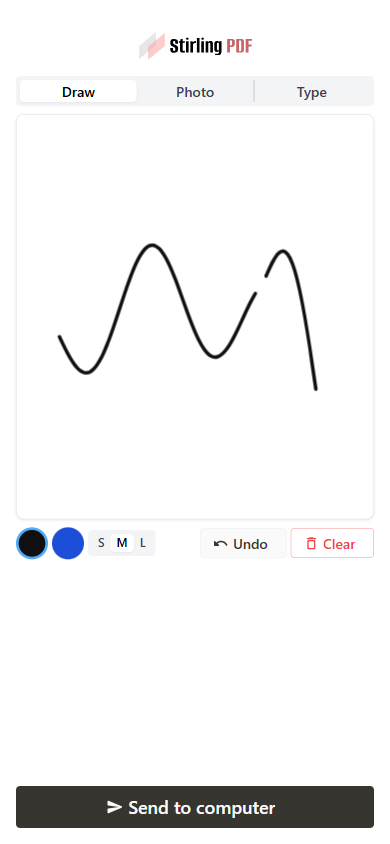 |  | ## How to test 1. Open the app on an address your phone can reach (not `localhost`), Sign tool → **Mobile upload**, scan the QR. 2. Draw → **Send to computer** → it becomes the active canvas signature and placement is live: click the PDF to place. 3. Photo tab → arrives in the Image source with a preview. Type tab → arrives editable in the Text source. 4. Flags: `enableMobileSignature: false` hides the button; signature still works with the scanner disabled. Verified end-to-end (all three kinds, portrait/landscape/tablet) plus `task frontend:check` and the touched backend tests. --- ## Checklist ### General - [x] I have read the [Contribution Guidelines](https://github.com/Stirling-Tools/Stirling-PDF/blob/main/CONTRIBUTING.md) - [x] I have read the [Stirling-PDF Developer Guide](https://github.com/Stirling-Tools/Stirling-PDF/blob/main/DeveloperGuide.md) (if applicable) - [ ] I have read the [How to add new languages to Stirling-PDF](https://github.com/Stirling-Tools/Stirling-PDF/blob/main/devGuide/HowToAddNewLanguage.md) (if applicable) - [x] I have performed a self-review of my own code - [x] My changes generate no new warnings ### Documentation - [ ] I have updated relevant docs on [Stirling-PDF's doc repo](https://github.com/Stirling-Tools/Stirling-Tools.github.io/blob/main/docs/) (if functionality has heavily changed) - [x] I have read the section [Add New Translation Tags](https://github.com/Stirling-Tools/Stirling-PDF/blob/main/devGuide/HowToAddNewLanguage.md#add-new-translation-tags) (for new translation tags only) ### Translations (if applicable) - [ ] I ran [`scripts/counter_translation.py`](https://github.com/Stirling-Tools/Stirling-PDF/blob/main/docs/counter_translation.md) ### UI Changes (if applicable) - [x] Screenshots or videos demonstrating the UI changes are attached (e.g., as comments or direct attachments in the PR) ### Testing (if applicable) - [x] I have run `task check` to verify linters, typechecks, and tests pass - [x] I have tested my changes locally. Refer to the [Testing Guide](https://github.com/Stirling-Tools/Stirling-PDF/blob/main/DeveloperGuide.md#7-testing) for more details. |
||
|
brios
|
b56e62caec |
refactor(sidebar): Replace custom sidebars (bookmark, attachment etc...) with reusable sidebar component (#7143)
# Description of Changes This helps keeps them consistent and similar/same in regards to design, colour scheme and so on. Generally, we would want to improve upon this, as UX bit lacking here and there e.g., with the button fluidness/conssitency what the button does. Bookmark open sidebar editor, the other two redirects to the page, those may be made more consistent. Changes: * Refactored `AttachmentSidebar`, `BookmarkSidebar`, and `CommentsSidebar` to use the new `SidebarBase` component, replacing custom header, search, and layout code for a more consistent and maintainable UI. * Added search functionality to `CommentsSidebar`, including filtering by comment content and author, and displaying a message when no comments match the search. * Updated search placeholders and empty state messages for attachments, bookmarks, and comments to use translation keys, improving localization and user feedback. ### New <img width="1490" height="1816" alt="image" src="https://github.com/user-attachments/assets/71de659e-388e-4aef-bf03-4c5ee7948a2f" /> ### Old <img width="1574" height="1726" alt="image" src="https://github.com/user-attachments/assets/4604653c-865f-4e75-9737-4b61237efcc6" /> <!-- Please provide a summary of the changes, including: - What was changed - Why the change was made - Any challenges encountered Closes #(issue_number) --> --- ## Checklist ### General - [X] I have read the [Contribution Guidelines](https://github.com/Stirling-Tools/Stirling-PDF/blob/main/CONTRIBUTING.md) - [X] I have read the [Stirling-PDF Developer Guide](https://github.com/Stirling-Tools/Stirling-PDF/blob/main/DeveloperGuide.md) (if applicable) - [ ] I have read the [How to add new languages to Stirling-PDF](https://github.com/Stirling-Tools/Stirling-PDF/blob/main/devGuide/HowToAddNewLanguage.md) (if applicable) - [X] I have performed a self-review of my own code - [X] My changes generate no new warnings ### Documentation - [ ] I have updated relevant docs on [Stirling-PDF's doc repo](https://github.com/Stirling-Tools/Stirling-Tools.github.io/blob/main/docs/) (if functionality has heavily changed) - [ ] I have read the section [Add New Translation Tags](https://github.com/Stirling-Tools/Stirling-PDF/blob/main/devGuide/HowToAddNewLanguage.md#add-new-translation-tags) (for new translation tags only) ### Translations (if applicable) - [ ] I ran [`scripts/counter_translation.py`](https://github.com/Stirling-Tools/Stirling-PDF/blob/main/docs/counter_translation.md) ### UI Changes (if applicable) - [X] Screenshots or videos demonstrating the UI changes are attached (e.g., as comments or direct attachments in the PR) ### Testing (if applicable) - [X] I have run `task check` to verify linters, typechecks, and tests pass - [X] I have tested my changes locally. Refer to the [Testing Guide](https://github.com/Stirling-Tools/Stirling-PDF/blob/main/DeveloperGuide.md#7-testing) for more details. |
||
|
Anthony Stirling
|
e6680c4cf5 |
fix(auth): remove signup page from self-hosted builds (#7406)
# Description of Changes remove signup page from self-hosted builds since all signups are either default or done via admins --- ## Checklist ### General - [ ] I have read the [Contribution Guidelines](https://github.com/Stirling-Tools/Stirling-PDF/blob/main/CONTRIBUTING.md) - [ ] I have read the [Stirling-PDF Developer Guide](https://github.com/Stirling-Tools/Stirling-PDF/blob/main/DeveloperGuide.md) (if applicable) - [ ] I have read the [How to add new languages to Stirling-PDF](https://github.com/Stirling-Tools/Stirling-PDF/blob/main/devGuide/HowToAddNewLanguage.md) (if applicable) - [ ] I have performed a self-review of my own code - [ ] My changes generate no new warnings ### Documentation - [ ] I have updated relevant docs on [Stirling-PDF's doc repo](https://github.com/Stirling-Tools/Stirling-Tools.github.io/blob/main/docs/) (if functionality has heavily changed) - [ ] I have read the section [Add New Translation Tags](https://github.com/Stirling-Tools/Stirling-PDF/blob/main/devGuide/HowToAddNewLanguage.md#add-new-translation-tags) (for new translation tags only) ### Translations (if applicable) - [ ] I ran [`scripts/counter_translation.py`](https://github.com/Stirling-Tools/Stirling-PDF/blob/main/docs/counter_translation.md) ### UI Changes (if applicable) - [ ] Screenshots or videos demonstrating the UI changes are attached (e.g., as comments or direct attachments in the PR) ### Testing (if applicable) - [ ] I have run `task check` to verify linters, typechecks, and tests pass - [ ] I have tested my changes locally. Refer to the [Testing Guide](https://github.com/Stirling-Tools/Stirling-PDF/blob/main/DeveloperGuide.md#7-testing) for more details. |
||
|
EthanHealy01
|
c929386442 |
Record policy-run failures as durable, actionable events (Review Flow PR 1) (#7269)
# Description of Changes PR 1 of the failure-notification work: a durable, team-scoped record of **why a policy run failed**, surfaced in the portal with the triage actions each failure allows. Today a failed policy run is not quite invisible, but it is unusable: the ledger marks the file `ERROR`, and the audit aspect keeps the exception message and status code. Nothing classifies either one, nothing surfaces them, and neither offers a next step. If the file came from a folder, bucket or webhook there is also no user watching, so nobody learns it never made it through. This adds the record and the read surface; the remediation that acts on documents comes later (see below). ## What this does **A failure kind registry as data.** `FailureKind` describes what can go wrong: a stable wire id, i18n keys, an English fallback, and four facets the review surface needs (`Stage`, `Severity`, `Remedy`, `Scope`). It is shaped like the existing `ExceptionUtils.ErrorCode` and *links* to that vocabulary rather than replacing it. **Classification off structured codes, not message matching.** Policy steps dispatch over loopback HTTP, so a tool's 4xx arrives as a `RestClientResponseException` whose body is the Problem Details document carrying `errorCode`. `FailureClassifier` reads that. Anything unrecognised becomes `UNKNOWN`, which is the point: every failed run gets an addressable record from day one, and which kinds to promote next is answered by production frequency rather than guesswork. **Actions declared by a kind, implemented as beans.** A kind lists the `FailureActionId`s it offers; behaviour lives in `FailureAction` beans resolved by id — the idiom this codebase already uses for `InputSource`, `PolicyOutputSink` and `PolicyTrigger`. A kind cannot be sent an action it never declared (400), so an incoherent pairing is unreachable rather than merely unrendered. A new kind ships as a registry entry plus copy: no new endpoint, no UI change. **Repeat folding.** Recording folds a genuine repeat into the existing incident instead of inserting again, keyed on `(team_id, dedup_key)`. That matters for a snapshot-mode source that re-lists every file on each sweep: the same broken file is one incident, not one per sweep. Distinct files keep distinct rows. The unique constraint is enforced by the database, and a writer that loses the insert race folds into the winner's row. One granularity caveat worth naming: nothing populates `file_id` in this PR, so every row has it NULL. A FILE-scoped kind therefore dedups on `policy + run` rather than `policy + file`. That still yields one row per document for the sources shipped here, because the folder, S3 and webhook sources each start one run per file; it stops holding as soon as a single run carries several documents, which is why editor-origin reporting (item 3 below) populates `file_id`. **No document identity is stored.** No file name, no content. `fileId` is an opaque reference only the owner's own client can resolve locally. `detail` keeps the raw message (the only diagnostic an `UNKNOWN` failure has) with anything path- or filename-shaped stripped on the way in, capped at 2,000 characters. `PolicyExecutor`'s type-mismatch message now reports the *extension* rather than the filename, since that message becomes the stored `detail`. **Access.** Reads and triage are leader-only, gated exactly the way `PolicyController` gates policy editing, with the single-user carve-out when login is disabled. Every read and write is scoped to the caller's own team from the authenticated principal — there is no team parameter on the API. Self-hosted needs no migration: the table is created from the entity by `ddl-auto=update`, as with every other table. ## What this does not do yet - **Actions are incident dispositions, not document dispositions.** Acknowledge and Dismiss change how a failure is displayed and touch nothing else — not the document, not the processed-file ledger, not the run, not any output destination. That is what makes them safe to offer against `UNKNOWN`, and why there is no Approve/Release yet. - **Two kinds only.** `INPUT_PASSWORD_PROTECTED` and `UNKNOWN`. Everything else classifies as `UNKNOWN` and shows its raw message. - **Editor-origin failures are not reported.** Every row is `PROCESSOR`. `FailureOrigin.EDITOR` and `API` exist in the enum but nothing writes them. - **The list is dev-only for now.** The section renders behind `import.meta.env.DEV`, so it ships in no production bundle. The endpoints are live and gated. - **No retention or per-team cap** on `file_run_events`. Tracked separately. - **No suspend-and-prompt.** `PolicyInputRequiredException` and the engine's `suspend()` exist but nothing throws it, so a run cannot pause to ask for a password today. - **SaaS needs a migration** in `Stirling-PDF-SaaS` (`CREATE TABLE IF NOT EXISTS stirling_pdf.file_run_events`), per the convention documented at `app/saas/src/main/resources/application-saas.properties:21`. ## What follows in later PRs 1. **Map the remaining error codes to specific kinds** — corrupted file, OCR unavailable, output destination unreachable, entitlement refusals, and so on — each with its own copy and its own action set, replacing today's `UNKNOWN` catch-all with a named notification in the review UI. 2. **Real remediation actions** attached to those kinds: fix (supply a password and resume), skip (drop this file, continue the batch), and decline (reject an incoming file outright), acting on the held document rather than only on the incident row. This is where the suspend-and-prompt path gets wired. 3. **Editor-origin reporting**, so a failure a user hits in the editor lands in the same queue as one from a bucket. 4. **The user-facing review surface**: notifications with a sticky review section, per-file badges, and an export gate, with the dev-only list here replaced by the real thing. ## How to test Needs a SaaS or proprietary build with login enabled, and an account that leads a team. 1. Create a policy in the Processor with any step (Auto-redact is fine) and a source you can drop files into. 2. Upload two files that will fail it: **a password-protected PDF**, and **a corrupted PDF** (truncate a valid one, or rename a `.csv` to `.pdf`). 3. Let the policy run and fail on both. 4. Go to the portal's **Documents** view and scroll to **Failures** (dev builds only). Expect two rows: - **Password-protected document** — classified from `E004`, with the kind's own labels **"I'll unlock this"** and **"Skip this file"** rather than generic wording. - **Unrecognised failure** — the corrupted file, classified `UNKNOWN` (`E001` is not claimed by a kind yet), showing its raw message with generic **Acknowledge** / **Dismiss**. Neither row contains a file name anywhere, including in the raw message. Press **Show raw JSON** to read exactly what the server returned. Acting on a row transitions it and comes back with both buttons disabled and a reason. Re-running the same batch increments the occurrence count on the existing rows rather than adding new ones; two *different* password-protected files produce two separate rows. --- ## Checklist ### General - [ ] I have read the [Contribution Guidelines](https://github.com/Stirling-Tools/Stirling-PDF/blob/main/CONTRIBUTING.md) - [ ] I have read the [Stirling-PDF Developer Guide](https://github.com/Stirling-Tools/Stirling-PDF/blob/main/DeveloperGuide.md) (if applicable) - [ ] I have read the [How to add new languages to Stirling-PDF](https://github.com/Stirling-Tools/Stirling-PDF/blob/main/devGuide/HowToAddNewLanguage.md) (if applicable) - [ ] I have performed a self-review of my own code - [ ] My changes generate no new warnings ### Documentation - [ ] I have updated relevant docs on [Stirling-PDF's doc repo](https://github.com/Stirling-Tools/Stirling-Tools.github.io/blob/main/docs/) (if functionality has heavily changed) - [ ] I have read the section [Add New Translation Tags](https://github.com/Stirling-Tools/Stirling-PDF/blob/main/devGuide/HowToAddNewLanguage.md#add-new-translation-tags) (for new translation tags only) ### Translations (if applicable) - [ ] I ran [`scripts/counter_translation.py`](https://github.com/Stirling-Tools/Stirling-PDF/blob/main/docs/counter_translation.md) ### UI Changes (if applicable) - [ ] Screenshots or videos demonstrating the UI changes are attached (e.g., as comments or direct attachments in the PR) ### Testing (if applicable) - [ ] I have run `task check` to verify linters, typechecks, and tests pass |
||
|
James Brunton
|
0ff4ef629c |
New Pipeline UI redesign (#7202)
# Description of Changes Supersedes #7144. Redesign the Processor New Pipeline page to use a graph-based interface. Far from perfect at this stage but I'm pretty happy with the interactions on the graph itself. The bar at the top needs some work to make it prettier and more clear what everything is for, but I'd rather get this in and do changes in a follow-up PR because this is big enough on its own and leaves us better than where we were before. <img width="1270" height="598" alt="image" src="https://github.com/user-attachments/assets/fa16f7d0-058d-4929-83a2-3c8e42859970" /> <img width="1511" height="788" alt="image" src="https://github.com/user-attachments/assets/bbeb411f-dbf9-43c9-9b34-28b3a5917e5b" /> <img width="1261" height="754" alt="image" src="https://github.com/user-attachments/assets/380fca1f-eed6-44fe-819d-c10598472583" /> <img width="1256" height="653" alt="image" src="https://github.com/user-attachments/assets/59e9a673-b026-43a9-b7f1-ebaf89236df2" /> <img width="1216" height="726" alt="image" src="https://github.com/user-attachments/assets/b34ae323-6842-44d5-b054-eacf08647ad7" /> |
||
|
Ludy
|
c1275763af |
chore(i18n): localize hardcoded UI strings across editor components (#7172)
# Description of Changes This PR replaces multiple hardcoded English UI strings with translation keys to improve localization consistency throughout the editor. ### What was changed - Added new translation entries for: - AI chat panel header and empty state - Generic dropdown placeholders and empty states - Generic input placeholder (`Enter value`) - Tool renderer "tool not found" message - Signature pen size placeholder - Updated shared components to use translated fallback placeholders instead of hardcoded English text: - `DropdownListWithFooter` - `EditableSecretField` - `GroupedFormatDropdown` - `LanguagePicker` - `PenSizeSelector` - Localized the AI chat panel: - Assistant title - Empty state message - Input placeholder - Localized the fallback error message displayed when a tool cannot be resolved. ### Why the change was made Several shared UI components and the AI assistant interface contained hardcoded English strings, preventing proper localization and creating an inconsistent multilingual experience. Moving these strings into the translation system ensures they can be translated alongside the rest of the application and provides reusable defaults for shared components. --- ## Checklist ### General - [ ] I have read the [Contribution Guidelines](https://github.com/Stirling-Tools/Stirling-PDF/blob/main/CONTRIBUTING.md) - [ ] I have read the [Stirling-PDF Developer Guide](https://github.com/Stirling-Tools/Stirling-PDF/blob/main/DeveloperGuide.md) (if applicable) - [ ] I have read the [How to add new languages to Stirling-PDF](https://github.com/Stirling-Tools/Stirling-PDF/blob/main/devGuide/HowToAddNewLanguage.md) (if applicable) - [ ] I have performed a self-review of my own code - [ ] My changes generate no new warnings ### Documentation - [ ] I have updated relevant docs on [Stirling-PDF's doc repo](https://github.com/Stirling-Tools/Stirling-Tools.github.io/blob/main/docs/) (if functionality has heavily changed) - [ ] I have read the section [Add New Translation Tags](https://github.com/Stirling-Tools/Stirling-PDF/blob/main/devGuide/HowToAddNewLanguage.md#add-new-translation-tags) (for new translation tags only) ### Translations (if applicable) - [ ] I ran [`scripts/counter_translation.py`](https://github.com/Stirling-Tools/Stirling-PDF/blob/main/docs/counter_translation.md) ### UI Changes (if applicable) - [ ] Screenshots or videos demonstrating the UI changes are attached (e.g., as comments or direct attachments in the PR) ### Testing (if applicable) - [ ] I have run `task check` to verify linters, typechecks, and tests pass - [ ] I have tested my changes locally. Refer to the [Testing Guide](https://github.com/Stirling-Tools/Stirling-PDF/blob/main/DeveloperGuide.md#7-testing) for more details. |
||
|
kastenherri
|
3260f5415d |
localization/formFill: Improve german translation and add localization (#7255)
# Description of Changes The formFill tool name and description as well as the notification popup for forms were missing their german translations. There were also some hardcoded text elements in the UI. Added translations of formFill-related tags and new tags and translation method for hardcoded strings. <!-- Please provide a summary of the changes, including: - What was changed - Why the change was made - Any challenges encountered Closes #(issue_number) --> --- ## Checklist ### General - [x] I have read the [Contribution Guidelines](https://github.com/Stirling-Tools/Stirling-PDF/blob/main/CONTRIBUTING.md) - [x] I have read the [Stirling-PDF Developer Guide](https://github.com/Stirling-Tools/Stirling-PDF/blob/main/DeveloperGuide.md) (if applicable) - [x] I have read the [How to add new languages to Stirling-PDF](https://github.com/Stirling-Tools/Stirling-PDF/blob/main/devGuide/HowToAddNewLanguage.md) (if applicable) - [x] I have performed a self-review of my own code - [x] My changes generate no new warnings ### Documentation - [x] I have read the section [Add New Translation Tags](https://github.com/Stirling-Tools/Stirling-PDF/blob/main/devGuide/HowToAddNewLanguage.md#add-new-translation-tags) (for new translation tags only) ### Translations (if applicable) - [ ] I ran [`scripts/counter_translation.py`](https://github.com/Stirling-Tools/Stirling-PDF/blob/main/docs/counter_translation.md) ### UI Changes (if applicable) - [ ] Screenshots or videos demonstrating the UI changes are attached (e.g., as comments or direct attachments in the PR) ### Testing (if applicable) - [x] I have run `task check` to verify linters, typechecks, and tests pass - [x] I have tested my changes locally. Refer to the [Testing Guide](https://github.com/Stirling-Tools/Stirling-PDF/blob/main/DeveloperGuide.md#7-testing) for more details. --------- Signed-off-by: Carsten Drewes <c.drewes@stud.uni-hannover.de> |
||
|
Matheus SaitoandAnthony Stirling
|
fa11034a99 |
Added Measurement Scale Support for Architectural Drawings (#6121) (#6215)
Fix #6121 # Description of Changes <!-- Please provide a summary of the changes, including: - What was changed - Why the change was made - Any challenges encountered Closes (#6121 ) --> This PR expands the viewer ruler/measurement tool with real-world scale support. Users can now apply preset scales, define custom scales, calibrate a scale by drawing a reference measurement and entering its known real-world distance, and view measurements with scaled real-world values. It also refactors PDF `/Measure` and `/VP` scale extraction out of `EmbedPdfViewer` into a dedicated utility, centralizes ruler state management in a dedicated hook, persists ruler measurements and selected scales per file during the browser session, remembers the last calibration unit locally, and updates the ruler overlay so measurements remain aligned with the PDF page during rotation and scrolling. **New Files** - `RulerMeasurementLayer.tsx` - Renders ruler measurements in the SVG overlay, including lines, points, labels, page/scaled values, delete controls, live previews, clear controls, and label visibility modes. - `RulerScaleSettingsButton.tsx` - Adds the scale settings button/popover to the viewer toolbar. - `ScaleCalibrationDialog.tsx` - Provides the calibration modal where users enter a known real-world distance to calculate the scale automatically. - `ScaleSettingsPanel.tsx` - Provides preset scales, custom scale input, calibration entry point, active scale display, and reset controls. - `useMeasurementManager.ts` - Centralizes ruler state, custom scale state, calibration flow, per-file measurements, session persistence, and loading of PDF-derived scale data. - `measurementPreferences.ts` - Persists the last calibration unit in `localStorage`. - `measurementTypes.ts` - Defines shared measurement, point, scale, page scale, and viewport scale types. - `measurementUtils.ts` - Provides unit conversion, scale calculation, validation, formatting, calibration helpers, and session storage helpers. - `measurementUtils.test.ts` - Adds unit tests for scale calculations, unit conversion, preset parsing, ratio derivation, and calibration. - `pdfMeasurementExtraction.ts` - Moves PDF `/Measure` and `/VP` scale extraction into a dedicated utility. **Changed Files** - `EmbedPdfViewer.tsx` - Removes inline PDF scale extraction and delegates ruler/measurement state to `useMeasurementManager`; integrates the ruler overlay, custom scale support, restored measurements, and calibration dialog. - `LocalEmbedPDF.tsx` - Adds page-level metadata used by the ruler overlay, including page width, height, and native page rotation. - `RotateAPIBridge.tsx` - Adds immediate rotation update propagation so ruler measurements can update their page-anchored positions during rotation changes. - `RulerOverlay.tsx` - Refactors the ruler overlay to use shared measurement types/utilities, support custom scales, calibration measurements, restored measurements, measurement change listeners, rotation-aware positioning, and scroll compensation, also holding Alt key will activate pass-through behavior so labels do not block ruler interactions. - `useViewerWorkbenchBarButtons.tsx` - Adds the ruler scale settings action and coordinates ruler, pan mode, and calibration behavior. - `ViewerContext.tsx` - Adds immediate rotation notification support used by ruler measurements while viewer rotation changes are applied. - `en-GB/translation.toml` and `en-US/translation.toml` - Add UI text for scale settings, calibration actions, ruler measurement values, and ruler label controls. --- ## Checklist ### General - [X] I have read the [Contribution Guidelines](https://github.com/Stirling-Tools/Stirling-PDF/blob/main/CONTRIBUTING.md) - [X] I have read the [Stirling-PDF Developer Guide](https://github.com/Stirling-Tools/Stirling-PDF/blob/main/DeveloperGuide.md) (if applicable) - [x] I have read the [How to add new languages to Stirling-PDF](https://github.com/Stirling-Tools/Stirling-PDF/blob/main/devGuide/HowToAddNewLanguage.md) (if applicable) - [X] I have performed a self-review of my own code - [X] My changes generate no new warnings ### Documentation - [ ] I have updated relevant docs on [Stirling-PDF's doc repo](https://github.com/Stirling-Tools/Stirling-Tools.github.io/blob/main/docs/) (if functionality has heavily changed) - [x] I have read the section [Add New Translation Tags](https://github.com/Stirling-Tools/Stirling-PDF/blob/main/devGuide/HowToAddNewLanguage.md#add-new-translation-tags) (for new translation tags only) ### Translations (if applicable) - [ ] I ran [`scripts/counter_translation.py`](https://github.com/Stirling-Tools/Stirling-PDF/blob/main/docs/counter_translation.md) ### UI Changes (if applicable) - [x] Screenshots or videos demonstrating the UI changes are attached (e.g., as comments or direct attachments in the PR) Current scale panel : <img width="1316" height="515" alt="Captura de tela de 2026-05-31 21-57-53" src="https://github.com/user-attachments/assets/df0ffb7d-4546-450c-8380-409658852a87" /> Current calibration input : <img width="1021" height="522" alt="Captura de tela de 2026-05-31 21-59-52" src="https://github.com/user-attachments/assets/e17c14e7-fec7-42e9-af48-33ef825acb6c" /> Example of usage : <img width="1316" height="760" alt="Captura de tela de 2026-05-31 22-31-01" src="https://github.com/user-attachments/assets/fcd3578e-1eaa-42d3-b30b-3fc87c796f90" /> ### Testing (if applicable) - [X] I have run `task check` to verify linters, typechecks, and tests pass - [X] I have tested my changes locally. Refer to the [Testing Guide](https://github.com/Stirling-Tools/Stirling-PDF/blob/main/DeveloperGuide.md#7-testing) for more details. --------- Co-authored-by: Anthony Stirling <77850077+Frooodle@users.noreply.github.com> |
||
|
brios
|
fd1c955648 |
refactor(ui): redesign VersionTimeline UI (#7162)
# Description of Changes I felt the old VersionTimeline was a bit too crowded/not very "good" looking so i had a crack at redesigning it. Mainly aimed for: - less info - less crowding - more spacing ### New <img width="884" height="1172" alt="image" src="https://github.com/user-attachments/assets/070eab35-80b8-408d-9917-b111c433ae4f" /> ### Old <img width="882" height="770" alt="image" src="https://github.com/user-attachments/assets/a074ba2e-79e3-4a8d-9491-ad3a8c432b98" /> <!-- Please provide a summary of the changes, including: - What was changed - Why the change was made - Any challenges encountered Closes #(issue_number) --> --- ## Checklist ### General - [X] I have read the [Contribution Guidelines](https://github.com/Stirling-Tools/Stirling-PDF/blob/main/CONTRIBUTING.md) - [X] I have read the [Stirling-PDF Developer Guide](https://github.com/Stirling-Tools/Stirling-PDF/blob/main/DeveloperGuide.md) (if applicable) - [ ] I have read the [How to add new languages to Stirling-PDF](https://github.com/Stirling-Tools/Stirling-PDF/blob/main/devGuide/HowToAddNewLanguage.md) (if applicable) - [X] I have performed a self-review of my own code - [X] My changes generate no new warnings ### Documentation - [ ] I have updated relevant docs on [Stirling-PDF's doc repo](https://github.com/Stirling-Tools/Stirling-Tools.github.io/blob/main/docs/) (if functionality has heavily changed) - [ ] I have read the section [Add New Translation Tags](https://github.com/Stirling-Tools/Stirling-PDF/blob/main/devGuide/HowToAddNewLanguage.md#add-new-translation-tags) (for new translation tags only) ### Translations (if applicable) - [ ] I ran [`scripts/counter_translation.py`](https://github.com/Stirling-Tools/Stirling-PDF/blob/main/docs/counter_translation.md) ### UI Changes (if applicable) - [X] Screenshots or videos demonstrating the UI changes are attached (e.g., as comments or direct attachments in the PR) ### Testing (if applicable) - [X] I have run `task check` to verify linters, typechecks, and tests pass - [X] I have tested my changes locally. Refer to the [Testing Guide](https://github.com/Stirling-Tools/Stirling-PDF/blob/main/DeveloperGuide.md#7-testing) for more details. |
||
|
EthanHealy01
|
789be2d351 |
Non-blocking classification, pipelined batch enforcement, and selector-based file-state re-renders (#7085)
## Goal

Three related improvements to how policies and file state behave in the
editor: classification no longer blocks the user, policy enforcement
pipelines across a batch upload instead of waiting for the whole drop,
and file-state changes no longer re-render the entire UI.

## 1. Classification never blocks (and never versions)

Classification is metadata-only — it reads a document and records
labels; it never rewrites the file. Previously it ran like an
enforcement policy: it blocked viewing/editing behind the "Enforcing
policy…" overlay, forked a new versioned child (an `automate` entry in
version history), and could run before other policies — letting the user
in, then a later enforcement policy would fork a version and drop their
edits.

Now classification:
- **Never blocks.** A classification run never marks a file `enforcing`
(badge map + viewer overlay both skip it), so the file stays fully
viewable/editable while it runs.
- **No version bump, no history entry.** Its result is stamped onto the
file's existing stub in place (workspace + IndexedDB) — the labels just
appear as tags. It targets the document's *current leaf*, so an edit
made during the async run still gets the tags; a run that completes with
no outputs settles cleanly instead of pinning in-flight.
- **Always runs last** in an enforcement chain (regardless of configured
order, pinned at persist-time too), so every enforcement policy finishes
forking versions before the user is let in.

## 2. Pipeline policy enforcement across a batch upload

Dropping ~50 files enforced policies only *after the whole drop finished
scanning* — every file got the "Enforcing policy" overlay together, then
processing began. Root cause: the chunked `ADD_FILES` dispatches in
`addFiles` were never separated by an event-loop yield, so React batched
them into a single commit and the enforcement effect fired once over the
full list.

**Fix** (`core/contexts/file/fileActions.ts`): after each chunk, `await`
that chunk's IndexedDB writes, then yield a macrotask so React commits
the rows and runs the enforcement dispatch *before* the next chunk
scans. Files start enforcing as their rows land, overlapping with the
rest of the drop. Persistence is streamed per chunk (the policy auto-run
reads bytes from IndexedDB with no in-memory fallback).

**Second fix — bounded dispatch window**
(`proprietary/components/policies/usePolicyAutoRun.ts`): even with
streamed dispatch, the drop still *looked* serial — each dispatch POSTs
the file's bytes, and firing them all at once saturates the browser's
per-origin connection pool, so the status polls and output downloads of
already-running files queued behind the pending uploads; nothing visibly
progressed until the last upload drained. Dispatch is now gated behind a
small concurrency window (4), keeping connections free so early files
run, poll, and complete while later ones are still dispatching. The
first status poll also fires at 500ms (then the normal 2s cadence) so
fresh runs show real progress immediately. The batch test asserts the
window (dispatches overlap but never exceed 4).

## 3. Selector subscriptions for file state (no more whole-UI
re-renders)

`FileContext` published `{state, selectors}` through a plain React
context, so **every** consumer re-rendered on **every** state change —
one file's new version re-rendered the entire workspace.

**Phase 1 — infra** (`file/contexts.ts`, `file/fileHooks.ts`,
`FileContext.tsx`): the state context is replaced by a stable
subscription store (`FileStoreContext`); hooks are rebuilt on
`useSyncExternalStoreWithSelector` (the `use-sync-external-store` shim
react-redux uses — new direct dep, React 19 compatible). Each consumer
now re-renders only when its selected slice changes:
- `useStirlingFileStub(id)` → only that file's record
- `useAllFiles` → file-list changes only (immune to selection/UI churn)
- `useFileSelection`/`useSelectedFiles` → selection + the *selected*
files' records only
- `useFileUI` → its three UI scalars; `useFileContext` → files + pinned
slices
- `useFileState` keeps its whole-state contract for existing broad
consumers

A render-count test (`fileHooks.selector.test.tsx`) locks the bail-out
contract.

**Phase 2 — hot-path rows**: sidebar `FileItem` is memoized (with stable
empty-array props), so one file's change re-renders one row, not the
list. Active Files thumbnails were already memoized.

**Phase 3 — narrow the hottest consumers**: always-mounted whole-state
consumers migrated to slices — `Workbench`, `EmbedPdfViewer`, `Viewer`,
`NonPdfViewer`, `WorkbenchBar`, `ViewerContext`, `ViewerShareButton`,
`ZoomAPIBridge`, `ViewerAnnotationControls`, `ConvertSettings`,
`DismissAllErrorsButton`, `FileEditorThumbnail`,
`usePageEditorDropdownState`, `useSaveShortcut`, plus a new
non-subscribing `useFileSelectors()` for event-time reads
(`ReviewToolStep`, `useViewerReadAloud`, `useExitWarning`). Net effect:
selection/UI churn no longer re-renders the viewer/workbench, and a
version landing touches only components observing the files slice.

Broad readers (`FileSidebar`, `PageEditor`, `FileEditor`, `Redact`,
`FormFill`) deliberately stay on `useFileState` — they read most of the
state anyway.

**Hardening**: store notifications run in a layout effect (subscribers
re-render before paint — no stale frames), and outside production
`useFileSelectors()` wraps its selectors to `console.error` if one is
invoked during render (those reads don't subscribe, so render-time use
would silently go stale — not statically lintable, so it's guarded at
runtime; the full test suite passes under the guard).

## 4. Policy indicators: shared icons, non-blocking run chip, no pulse

- Badges and enforcement overlays now take their glyph from the shared
`policyCategoryIcon` map (the same source the processor's catalogue
uses) — label icon for classification, shield for security — instead of
a hardcoded shield everywhere.
- A non-blocking run (classification) shows a small accent-tinted pill
in the top-right of the Active Files card (category icon + loader) and
the normal spinning badge in the sidebar, via a new `background` badge
flag that nothing gates on. When the run finishes, the tagged files keep
a plain category badge.
- The post-run pulse/glow on sidebar badges is gone (with its `recent`
plumbing): spinner while running, static category icon when done.

## Verification

Full CI gate locally: `og:check`, `typecheck:all` (all variants),
`lint`, `format:check`, `build`, `test` (1366 — incl. the render-count
contract test, the classification-order/import unit tests, and the
61-file batch integration test driving the real dispatch → poll → import
→ chain effects), `storybook:build` — all green.

## Held for follow-up (not in this PR)

- **Reuse one PDFium engine across viewer file switches** (kills the
per-open "Loading PDF Engine" rebuild). Implemented on branch
`viewer/reuse-pdfium-engine`, but review found a confirmed leak
(orphaned PDFium handles when switching files mid-load); needs an
in-flight-load teardown before shipping.
|
||
|
ConnorYoh
|
d0d197f09f |
Procurement: draft Enterprise Agreement + signature, legal pages & consent, quote/agreement split (#7021)
Consolidates the enterprise procurement and legal work into one PR off `main`. Supersedes #7020 (closed; every commit from it is contained here). Sits on top of PAYG prepaid bundles (#7032) and the `--color-*` → `--c-*` portal token rename. ## Why Enterprise procurement was a mock. The stage screens read from a fake state machine, the "agreement" was prose hardcoded in a component, and nothing a buyer did was recorded anywhere. To actually sell to an enterprise we need three things it didn't have: a real document they can read and sign, a record that proves they signed that exact version, and a licence that flips when they pay. ## What **The agreement is a real versioned document** - Registry at `resources/legal/manifest.json` + `legal/<id>/<version>/*.md`. Publishing a new version is a markdown file and a manifest bump, no code change. `@`-prefixed parts are generated sections. - `AgreementAssembler` builds MSA (Part A) + generated Order Form (Part B) + DPA (Part C) as one document. Only the Order Form varies per deal. - `AgreementPdfRenderer` goes through our own pipeline (commonmark → `FileToPdf`/WeasyPrint), so we dogfood it. - Immutable signature record pinning document id and version, a SHA-256 of the exact rendered markdown, the variable snapshot, typed signatory details, timestamp and IP. **Legal document pages and consent logging** - `GET /api/v1/legal/{docId}` serves any registry document; a viewer modal renders it with a draft badge. The SLA exhibit is viewable for the first time. - `legal_consent` + `POST /api/v1/legal/consent`. EULA clickwrap is recorded once: at trial start, or at the quote step only if there was no trial. **Quote and Agreement are separate steps** The quote step is a plain itemised review (figures, renewal, PO) with download and "Accept quote". Accepting advances to the agreement and does not charge Stripe. Signing the agreement is still the commitment point. **One quote number** We no longer mint our own reference. The Stripe quote number is the identifier everywhere, so the UI and the memo can't disagree. `quote_number` is nullable until Stripe assigns it at finalisation (`20260808000000`). **Payment takes the deal live** `invoice.paid` on the stripe-webhook moves the deal to live and the UI reflects it. Nothing watched for payment before, so a paid customer sat in "payment" forever. Needs `invoice.paid` enabled on the webhook endpoint in the Stripe dashboard. **Security** Any signup could self-issue a $0 enterprise licence, from three things compounding: leader-on-signup, no entitlement gate, and no ACV floor. So: `startTrial` now has a stage guard (it was replacing committed licences), the offline `.lic` is gated on entitlement, the ACV floor is enforced before the quote persists, and the air-gap check reads the quote's deployment rather than the deal's. Invitee emails are redacted in logs. Dev and Storybook were hitting real Stripe; both now route through `resolveDemoResponse`. **Removed the dead procurement island** The original stage-by-stage page survived the rebuild with no route and no consumer, so it was invisible to review but still cost a reader's time. 16 unreferenced files, 182 lines of superseded API, 53 orphaned en-US keys, and `Procurement.css` from 1665 to 968 lines. Nothing deleted had a live consumer. ## Screenshots Home, deal underway (hero card footer): <!-- home-in-procurement.png --> Quote builder, step 1: <!-- quote-builder.png --> Agreement, ready to sign: <!-- agreement-signing.png --> Payment and live: <!-- stage-payment.png / stage-live.png --> ## How to test **Storybook** covers every state without a backend: ```bash cd frontend && npm run storybook ``` Then `Portal/Procurement/*`: | Story | What to look at | | --- | --- | | `DealStatusHero` — Trial / Quote / Agreement / Payment / Live | One hero per stage: progress band, one-line status, stage CTA | | `QuoteBuilder` — Default | 4 steps. Users + volume drive the price; Governance and PDF size are multipliers; step 4 is the itemised review | | `ProcurementAgreement` — Default / Signing | Header actions, always-visible scrollbar on the paper, one-line signature row | | `ProcurementStages` — Payment / Live / License | "View & pay invoice" opens Stripe directly; licence key and `.lic` download | | `Views/Home` — Subscribed In Procurement | The hero in real page context | Note: `ProcurementAgreement` renders "Could not load the agreement" in Storybook because it fetches the document from the backend. The chrome is accurate, the paper body needs the app. **Full flow** needs SaaS running and a linked team: 1. Home → **Explore enterprise** → trial setup (deployment + seats). EULA is recorded here. 2. **Build your quote** → 4 steps → Generate. Buyer details are required first. 3. Review the itemised quote → **Accept quote**. Confirm Stripe was *not* charged. 4. Agreement → tick, fill signatory, **Sign agreement**. Check `procurement_signature` for the version and content hash. 5. **View & pay invoice** → pay in Stripe test mode → deal should move to live on the `invoice.paid` webhook. Worth reviewing specifically: the licence cannot be issued without entitlement (step 3 before payment), and `startTrial` on an already-committed deal is rejected rather than overwriting. ## Verification - `:saas compileJava` + `spotlessJavaCheck` - `task frontend:check:all` green end to end: 9 typecheck variants, eslint at zero warnings, `theme-lint`, `lint:css`, prettier, build, **1656 tests across 188 files** - 7 deno tests on the `invoice.paid` handler, covering all four shapes Stripe uses for the subscription reference ## Open, not addressed here - **The commercial model contradicts itself in three places.** The Order Form says annual-in-advance, the MSA §2.3/§3.2 implies otherwise, the quote engine computes `tcv = annualNet × termYears` flat, and Stripe only invoices one year. Needs a decision before this is customer-facing. - The 25 MB data-processing increments vs the ×1.4/×2.4 size multiplier, deferred pending Matt. - All legal text is **draft**. It renders with a draft badge and is not presented as executed; counsel's read is still a publish gate. - `{{subprocessor_url}}` / `{{eula_url}}` awaiting marketing's final links. - `frontend-a11y` is red on pre-existing portal contrast debt, deferred by decision. ## Schema notes Two migrations land on the SaaS side (`v3`), both applied by that repo's PR CI: - `20260808000000` drops the NOT NULL on `procurement_quote.quote_number`, which is required rather than cosmetic — the number now comes from Stripe at finalisation, so a draft holds NULL, and `ddl-auto` cannot drop an existing NOT NULL itself. - `20260809000000` adds `procurement_deal.last_paid_invoice_id`, nullable. Nothing here needs a migration in this repo: Flyway is not on the classpath, so the Java side only ever adds via `ddl-auto`, and Postgres migrations run ahead of the app deploy. |
||
|
EthanHealy01andReece Browne
|
c91d63f215 |
New design, part one: shared branding, nav surfaces and theme tokens (#7163)
## Overview First part of the move over to the new designs. This lays the groundwork (shared brand components, button/nav styling, theme tokens) and applies it across the editor and the processor. Later parts will build on top of it. ## What's changed **Branding** - Shared `Logo` and `BrandMark` components used everywhere, so the mark and wordmark are identical across the editor, processor, auth pages and the chat FAB. - The sidebar logo doubles as the editor to processor switcher, morphing into a chevron on hover. It only appears for users who can actually reach the processor. **Navigation and layout** - Both sidebars restructured onto the floating nav surface treatment, with rounded panels sitting on the app canvas. - The editor file sidebar is now three sections (controls, PDF Library, settings) and the workbench top bar and tools panel match. - Added a collapse toggle to both sidebars, with an animated expand and collapse and a tidy icon rail when collapsed. The processor did not have a desktop collapse before. **Components** - Buttons and action icons now share one styling system, so both react to the same tokens. - Secondary buttons in dark mode use a neutral fill and border instead of inheriting the primary colour. - Status badges default to a clean dot with no background, with a filled pill as the alternative. - Metric strips gained a row layout with an optional leading icon. **Theme** - Colour tokens consolidated. Literal colours live only in the palette file, everything else references the semantic `--c-*` tokens. - `saas-theme.css` removed and the parts that were genuinely needed moved into the shared theme, so all builds get them. - The colour linter enforces this across the app and runs in CI. ## Notes - Nothing functional should change here, it is styling plus the sidebar collapse feature. - Main has been merged in. The Sources and billing pages picked up changes from main during that merge and are worth a look alongside the new styling. --------- Co-authored-by: Reece Browne <74901996+reecebrowne@users.noreply.github.com> |
||
|
Anthony Stirling
|
21dff695fe |
Add SFTP, FTP and SMB network sources to the processor (#7153)
# Description of Changes Add SFTP, FTP and SMB network sources to the processor plus UI change to enable it --- ## Checklist ### General - [ ] I have read the [Contribution Guidelines](https://github.com/Stirling-Tools/Stirling-PDF/blob/main/CONTRIBUTING.md) - [ ] I have read the [Stirling-PDF Developer Guide](https://github.com/Stirling-Tools/Stirling-PDF/blob/main/DeveloperGuide.md) (if applicable) - [ ] I have read the [How to add new languages to Stirling-PDF](https://github.com/Stirling-Tools/Stirling-PDF/blob/main/devGuide/HowToAddNewLanguage.md) (if applicable) - [ ] I have performed a self-review of my own code - [ ] My changes generate no new warnings ### Documentation - [ ] I have updated relevant docs on [Stirling-PDF's doc repo](https://github.com/Stirling-Tools/Stirling-Tools.github.io/blob/main/docs/) (if functionality has heavily changed) - [ ] I have read the section [Add New Translation Tags](https://github.com/Stirling-Tools/Stirling-PDF/blob/main/devGuide/HowToAddNewLanguage.md#add-new-translation-tags) (for new translation tags only) ### Translations (if applicable) - [ ] I ran [`scripts/counter_translation.py`](https://github.com/Stirling-Tools/Stirling-PDF/blob/main/docs/counter_translation.md) ### UI Changes (if applicable) - [ ] Screenshots or videos demonstrating the UI changes are attached (e.g., as comments or direct attachments in the PR) ### Testing (if applicable) - [ ] I have run `task check` to verify linters, typechecks, and tests pass - [ ] I have tested my changes locally. Refer to the [Testing Guide](https://github.com/Stirling-Tools/Stirling-PDF/blob/main/DeveloperGuide.md#7-testing) for more details. |
||
|
James BruntonandAnthony Stirling
|
cd199c8659 |
Define tool inputs & outputs in a structured way (#7204)
# Description of Changes Change tool APIs to use structured definitions for input/output/type info because we need that info to be able to validate whether policies can actually successfully work based on whether one tool accepts the output of another. There were various bugs in the previous string definitions because of either misspellings or just incorrect definitions, so I've gone through and fixed all that I can find. <img width="729" height="271" alt="image" src="https://github.com/user-attachments/assets/08357e96-6fbb-4b9c-ba4d-8995420c7b86" /> <img width="749" height="264" alt="image" src="https://github.com/user-attachments/assets/76f46284-1866-4b64-b1ed-2480e01866e9" /> <img width="402" height="636" alt="image" src="https://github.com/user-attachments/assets/8f7a36ca-2845-4f14-a2df-ec9c772e66f6" /> <img width="393" height="317" alt="image" src="https://github.com/user-attachments/assets/46d8b891-9820-4ce3-8109-a8b782277037" /> --------- Co-authored-by: Anthony Stirling <77850077+Frooodle@users.noreply.github.com> |
||
|
|
e76a22e520 |
fix(desktop): persist default-app banner dismiss and fix Linux detection (#7112)
# Description of Changes Fixes the desktop default-PDF banner that kept returning every launch after users dismissed it or already set Stirling as default ([#6743](https://github.com/Stirling-Tools/Stirling-PDF/issues/6743), also tracked in [#5772](https://github.com/Stirling-Tools/Stirling-PDF/issues/5772) / [#6270](https://github.com/Stirling-Tools/Stirling-PDF/issues/6270)). ### What changed - **Persist dismiss:** X closes the banner for the current session only; **Don't remind me again** (muted secondary action) permanently opts out via the existing `localStorage` helpers that were never wired. - **Settings:** General → Default PDF editor includes a **Remind me to set as default** toggle (on by default), shown only when Stirling is not already the default, so users can undo a permanent dismiss. - **Linux detection:** Treat `Stirling-PDF.desktop` / case-insensitive `*stirling*.desktop` as default, and resolve the real desktop file when setting the association (fixes “already default but banner still shows”). - **InfoBanner:** optional secondary button support for the muted “Don't remind me again” action. ### macOS quirk (Gatekeeper false positive) One-click **Set Default** on macOS still uses `LSSetDefaultRoleHandlerForContentType` — Apple has no public replacement for document UTIs, so this remains the only single-button path. After setting Stirling as default, if a user later switches away with Finder **Open With → Always Open With** on a *quarantined* (typically downloaded) PDF, macOS can show: > Apple could not verify “…pdf” is free of malware… That is a known Gatekeeper/`LSRiskCategoryHasRedirectedBinding` behaviour ([Apple Developer Forums thread](https://developer.apple.com/forums/thread/795994)), not malware and not something we can suppress from the app. **Safe way to switch away:** select a PDF → File → Get Info → Open With → choose the app → **Change All** (avoid Open With → Always on downloaded PDFs). Closes #6743 --- ## Checklist ### General - [x] I have read the [Contribution Guidelines](https://github.com/Stirling-Tools/Stirling-PDF/blob/main/CONTRIBUTING.md) - [x] I have read the [Stirling-PDF Developer Guide](https://github.com/Stirling-Tools/Stirling-PDF/blob/main/DeveloperGuide.md) (if applicable) - [ ] I have read the [How to add new languages to Stirling-PDF](https://github.com/Stirling-Tools/Stirling-PDF/blob/main/devGuide/HowToAddNewLanguage.md) (if applicable) - [x] I have performed a self-review of my own code - [x] My changes generate no new warnings ### Documentation - [ ] I have updated relevant docs on [Stirling-PDF's doc repo](https://github.com/Stirling-Tools/Stirling-Tools.github.io/blob/main/docs/) (if functionality has heavily changed) - [x] I have read the section [Add New Translation Tags](https://github.com/Stirling-Tools/Stirling-PDF/blob/main/devGuide/HowToAddNewLanguage.md#add-new-translation-tags) (for new translation tags only) ### Translations (if applicable) - [ ] I ran [`scripts/counter_translation.py`](https://github.com/Stirling-Tools/Stirling-PDF/blob/main/docs/counter_translation.md) - New strings added in **en-US only** (`defaultApp.prompt.dontRemind`, `settings.general.defaultPdfEditorRemind` / `RemindDescription`); other locales handled separately. ### UI Changes (if applicable) - [ ] Screenshots or videos demonstrating the UI changes are attached (e.g., as comments or direct attachments in the PR) - Banner: session dismiss (X) + muted **Don't remind me again**; settings toggle only when not already default. ### Testing (if applicable) - [x] I have run `task check` to verify linters, typechecks, and tests pass - [x] I have tested my changes locally. Refer to the [Testing Guide](https://github.com/Stirling-Tools/Stirling-PDF/blob/main/DeveloperGuide.md#7-testing) for more details. #### Test runs - `task pre-commit:fix` (including toml-sort / locale hygiene) - `task backend:test` — passed (incl. JaCoCo coverage targets) - `task frontend:check` — lint, typecheck, format, tests - `task frontend:test` — **166 files / 1353 tests passed** - `task engine:check` — typecheck, lint, format; **335 pytest tests passed** - Re-ran `unusedTranslations` / `missingTranslations` after new en-US keys — passed - Manual: permanent dismiss persists across relaunch; settings remind toggle restores banner; Linux desktop-file name mismatch addressed in Rust Co-authored-by: Wesley <wesley@awka.dev> Co-authored-by: Anthony Stirling <77850077+Frooodle@users.noreply.github.com> |
||
|
James Brunton
|
041b6a4b5f |
Move parameter validation to config-accessible function (#7224)
# Description of Changes Move the logic for validating params into global exported functions and attach them to the operation config so that we can access them elsewhere so things like Pipelines know whether the tool has been configured and provide a warning if not. <img width="1264" height="503" alt="image" src="https://github.com/user-attachments/assets/f320579c-6c08-4c66-a999-015d46df1b33" /> |
||
|
ConnorYoh
|
d5e3c3e6e1 |
Remove dead frontend exports and their orphaned translation keys (#7226)
## Why Spotted while working on #7222. `PIPELINE_OPERATIONS` reads like the list that decides which tools the pipeline composer offers — its doc comment literally said *"the operation catalogue the composer builds a pipeline from"* and *"adding an operation needs no translation work"*. Nothing has imported it since #6905 replaced it with `getExecutableTools` over the tool registry. That makes it worse than dead weight: I added an entry to it to expose Auto Rotate, and the entry did nothing. The next person will do the same. So I swept the editor frontend for the same shape — exported values with no reference anywhere, including inside their own file — and removed the confirmed ones. ## What went **6 wholly dead files** - `core/components/tooltips/useCertSignTooltips.ts` - `core/components/tooltips/useCertificateChoiceTips.ts` - `core/components/tooltips/useSessionManagementTips.ts` - `core/components/tooltips/useWetSignatureTips.ts` - `desktop/config/planFeatures.ts` - `core/hooks/tools/shared/useOperationResults.ts` **Dead consts and helpers** across core, portal and desktop: `PIPELINE_OPERATIONS` + `PipelineOperationDef`, `FILE_ORIGINS`, `DATE_GROUP_ORDER`, `toRgba`, `isSplitMethod`, `useSignatureMode`, `getCategoryLabel`, `useCommonTranslations`, `useSignatureDetection`, two `Z_INDEX_*` tokens, `getFontStatusIcon`, `buildUpdatedDocument`, `INFO_PDF_FILENAME`, `useCustomMetadataTips`, `PORTAL_ACCESS_TONE`, `MEMBER_STATUS_TONE`, `ASSIGNABLE_ROLES`, `TIER_INFO`, `VIEW_LABELS`, `lookupVertical`, `lookupEndpoint`, `lookupAgent`, `lookupSource`, `lookupDestination`, `docsSource`. `fileProcessingService.ts` keeps only `ProcessedFileMetadata`, which four files still import. Removing the dead service instance orphaned the `FileProcessingService` class and its result type, so those went with it. **103 en-US translation keys** that only the deleted tooltip hooks and helpers referenced — the unused-translation audit flags these as soon as their callers go, so the cleanup isn't complete without them. Only `en-US` is touched, since that is what the audit gates. ## Kept deliberately Three things look unused in `core` but are not, and a naive sweep would have deleted them: - `Z_ANALYTICS_MODAL` and `DEV_TESTING_ENABLED` — the `saas` and `proprietary` layers shadow those modules and reference them - `CLOUD_LAYER_PROBE` — exists to prove layer resolution ## Testing Deletions only, so the type checker and the suites are the proof: - `typecheck:all` + `typecheck:portal` — all eight build variants clean - full `eslint` (zero warnings) and `theme-lint` - `prettier --check` across the frontend - full editor suite: **1651 tests, 186 files, all passing** Three incomplete removals and two orphaned imports were caught by exactly those gates and fixed before pushing. ## Note The same 103 keys still exist in the other ~40 locale files. The audit only gates `en-US`, and translations are usually synced separately, so I left them — worth a follow-up if you want them pruned too. |
||
|
ConnorYoh
|
46865cd154 |
Add Auto Rotate tool that detects and fixes page orientation (#7152)
## What

New **Auto Rotate** tool: give it any PDF and it detects each page's
correct orientation and sets `/Rotate` so every page displays upright.
Lossless — only the page rotation metadata changes, content is never
re-rendered.

New endpoint: `POST /api/v1/misc/auto-rotate-pdf`, plus an editor tool
registered next to Rotate.

## How it works

Two-tier detection, per page, both expressed as an additive clockwise
`/Rotate` correction:

1. **Embedded-text fast path** (`AutoRotateDetection`): dominant glyph
direction via `PDFTextStripper`/`TextPosition.getDir()`. Trusted only
with >= 30 glyphs at >= 95% agreement. Near-instant for born-digital
PDFs and needs no external tools. Correction = `(glyphDir -
pageRotation) mod 360` — the sign conventions are pinned by
parameterized fixture tests covering all text-angle x `/Rotate`
combinations.
2. **Tesseract OSD fallback**: pages the text path can't decide are
rendered at 300 DPI grayscale and run through `tesseract --psm 0`.
Corrections apply only above a confidence threshold (default 14.0,
matching OCRmyPDF's `--rotate-pages-threshold`). Rendering honours the
existing `/Rotate`, so the verdict is always additive.

**Conservative by default**: blank pages, mixed-direction pages, and
low-confidence verdicts are skipped, never guessed — the failure mode to
avoid is making a correct page wrong.

### API surface

- `detectionMode`: `auto` (default) | `text` | `osd` — forcing one
method is useful for testing
- `confidenceThreshold`: minimum OSD confidence to apply a correction
- `dryRun=true`: returns a JSON per-page report instead of the PDF
- `pageRotations={"1":90,...}`: applies precomputed corrections without
detection

The frontend uses analyze-then-apply (dryRun, then pageRotations) so
detection runs exactly once per file, and the analysis report can be
shown in the UI.

### UI

The tool's results panel shows a **detection report** for
debugging/tuning: per page — method badge (Text / OCR / Skipped),
confidence score (glyph-dominance % for text, raw OSD score for OCR),
applied rotation, and a skip reason (too little text, mixed directions,
below threshold, OCR not installed...). Settings expose detection mode
and the OSD threshold.

### Dependency handling

Registered in `PageOps` only — deliberately **not** gated on the
`tesseract` group, because the text path works without Tesseract. The
controller checks `isGroupEnabled("tesseract")` at runtime; when it's
missing, scanned pages are skipped with a visible `tesseractUnavailable`
note instead of the whole tool disappearing.

## Testing

- 14 detection unit tests: all text-angle x `/Rotate` fixture
combinations (pins the direction conventions), dominance/glyph-count
guards, OSD output parsing
- 6 controller tests: dryRun report, correction application, explicit
pageRotations, tesseract-unavailable reporting, input validation
- Frontend: typecheck (core/desktop/proprietary), ESLint, Prettier, all
i18n audit tests
- **Live, text path**: fixture with pages at `/Rotate` 0/90/180/270 ->
all pages return upright; report UI verified in the browser
- **Live, OSD path**: image-only "scan" fixture (no text layer) with
pages upright/180/90 -> all detected by OSD at conf ~15-17 and
corrected; closed-loop re-analysis of the output reports 0 pages to
rotate with *higher* confidence than the input

Out of scope: skew correction (that's the OCR tool's `--deskew`); this
fixes 90-degree-multiple orientation only.
|




