mirror of
https://github.com/Stirling-Tools/Stirling-PDF.git
synced 2026-09-03 05:10:16 +03:00
 James Brunton
d6061eb0aa
James Brunton
d6061eb0aa
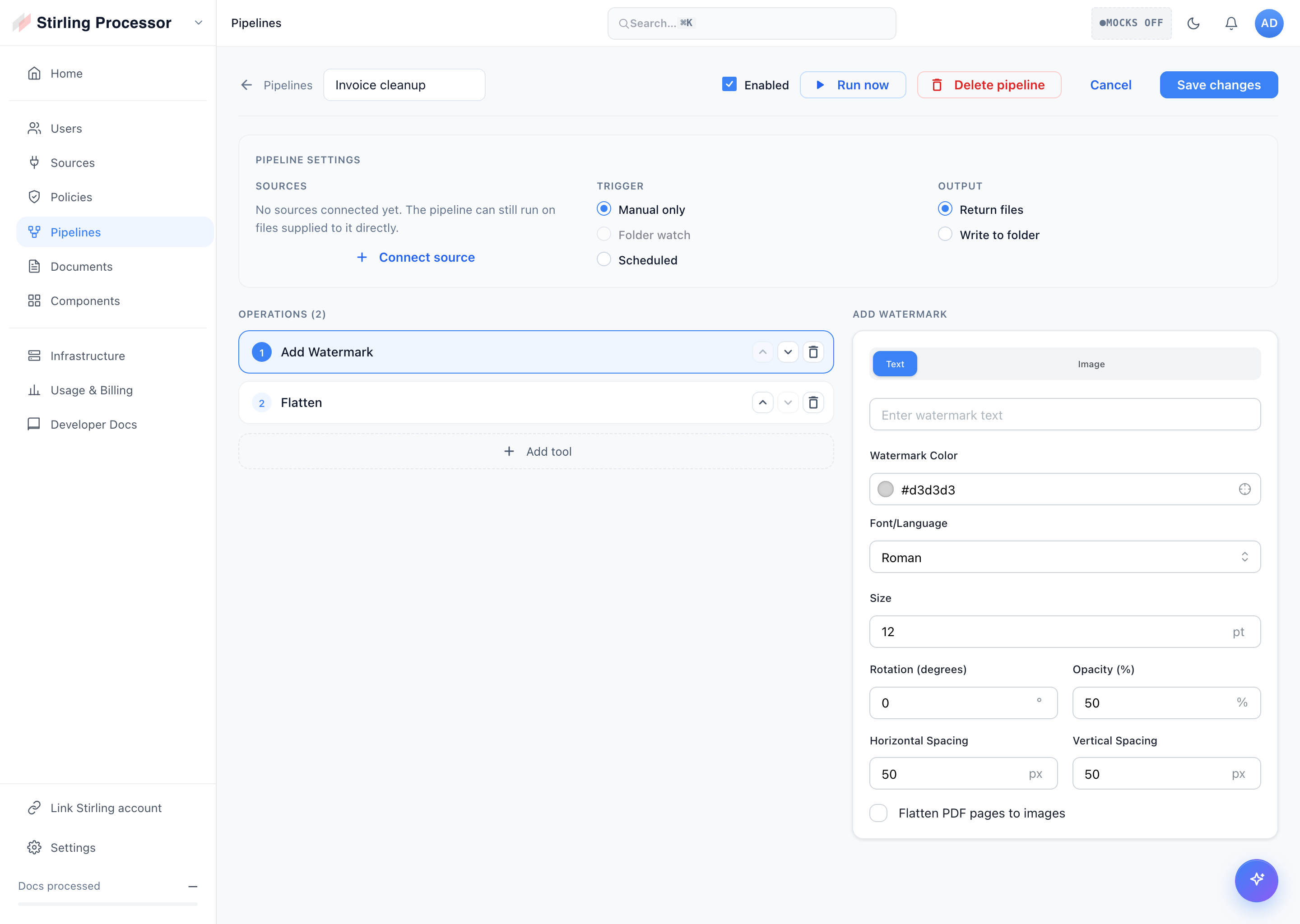
# Description of Changes Redesigned the Portal Pipelines page so pipelines are created and edited on their own dedicated builder page, replacing the previous modal composer and inline detail card. ## Screenshots ### Pipelines list The redesigned list with summary KPIs; each row opens that pipeline's own page. 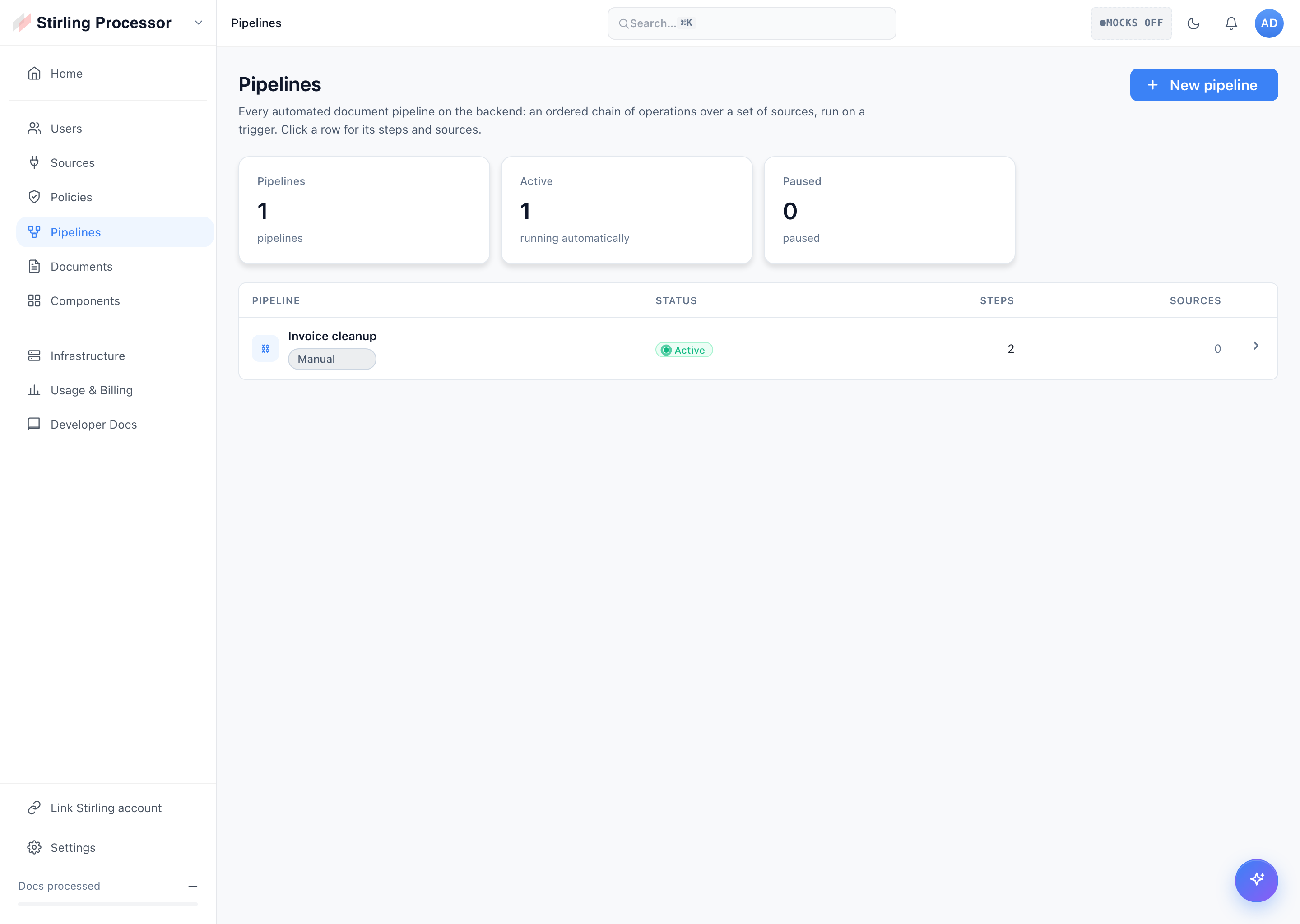 ### Pipeline builder The dedicated create page: pipeline settings (sources, trigger, output) above, operations and per-tool settings below. 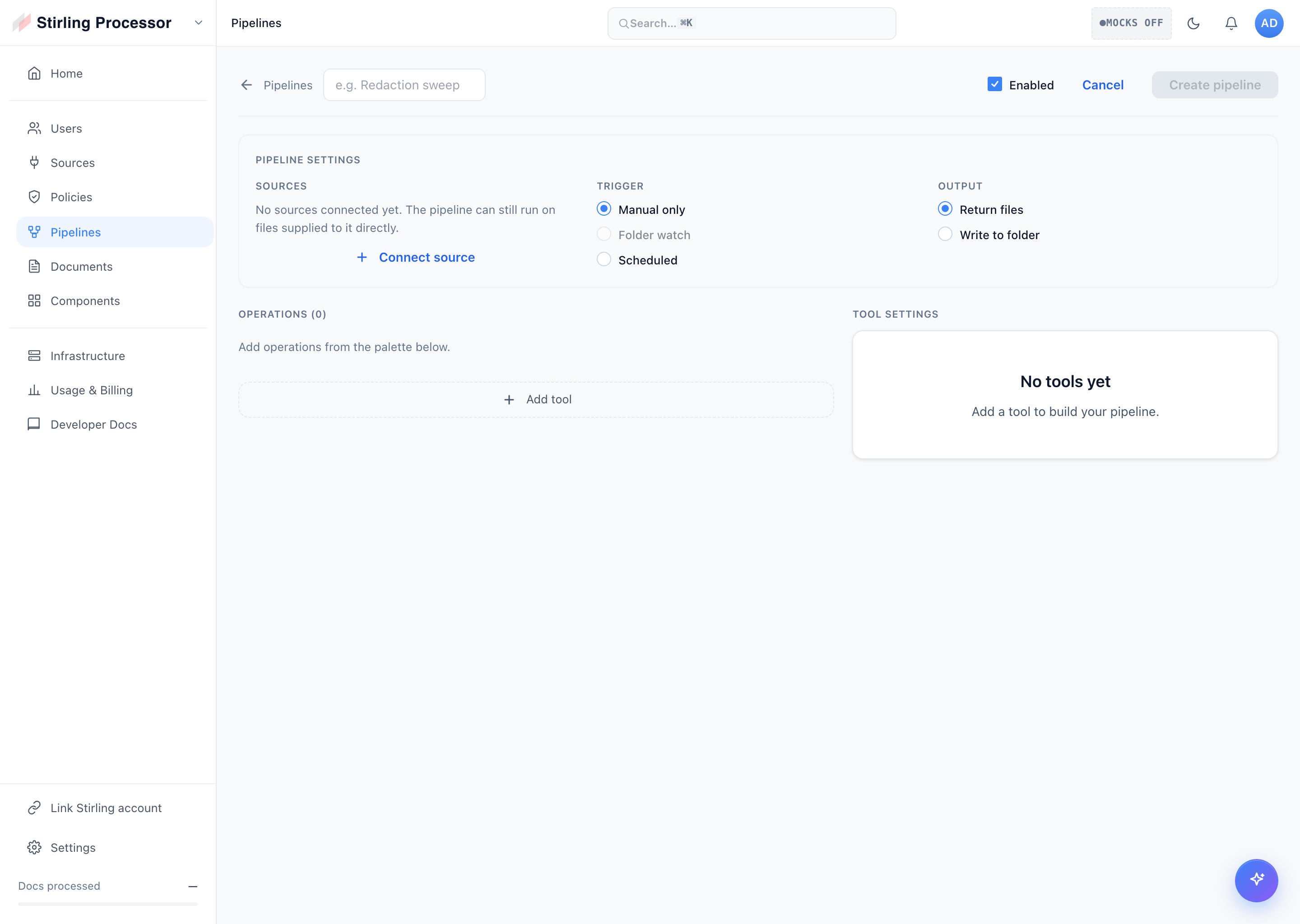 ### Tool picker Type-to-filter, category-grouped picker for adding an operation to the pipeline. 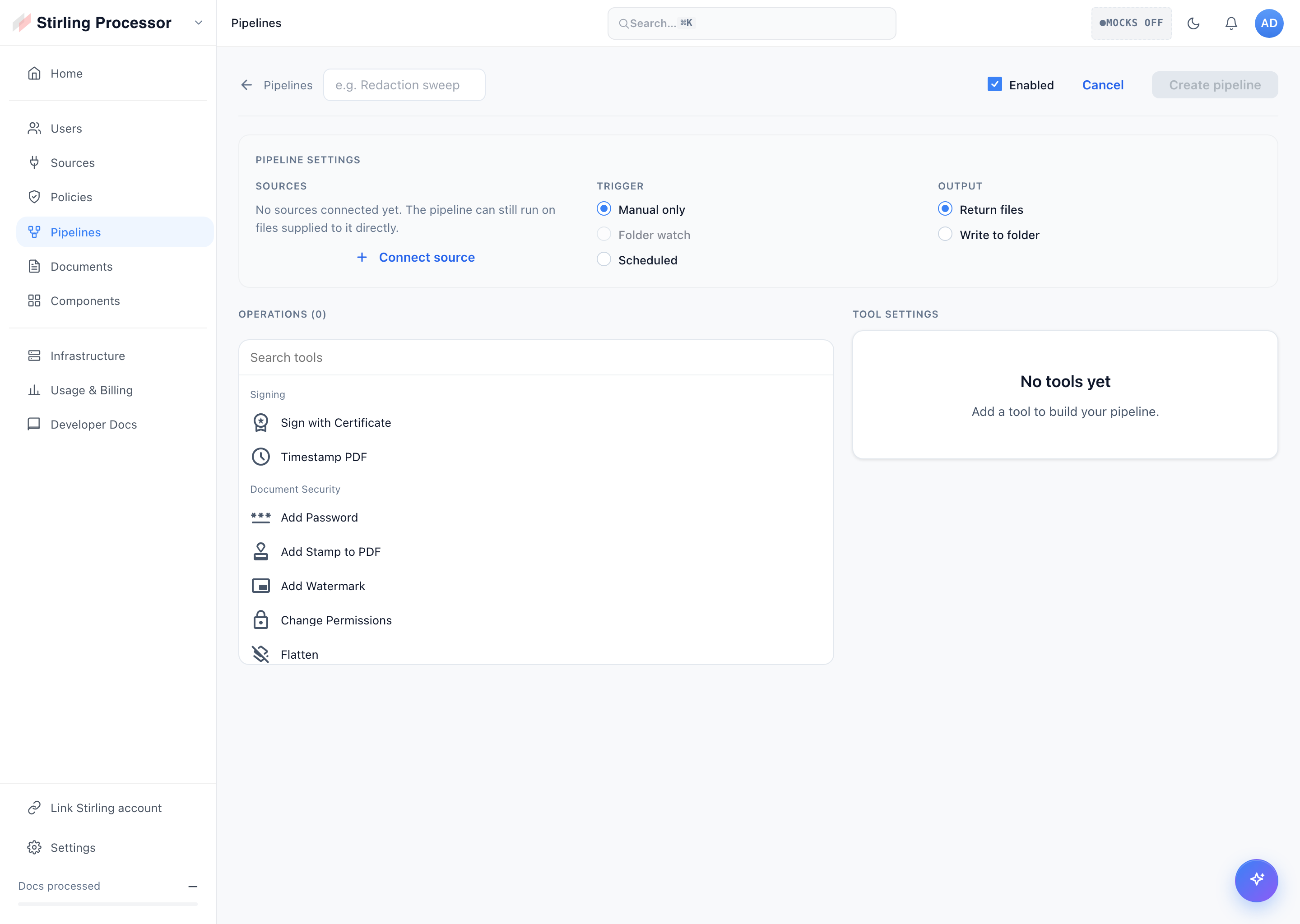 ### Editing a pipeline An existing pipeline in the builder: reorderable steps, per-tool settings, and run/delete actions.